

robocopy, an ffmpeg line, or a publish script that has been in the pipeline for years.
Adding one
1
Add the step
Press the + button at the end of the chain and pick Shell.
2
Give it a script
Either press Browse file and pick one off disk, or press Type and write it in the editor. The menu in the editor’s header sets the language: Cmd, Bash or PowerShell, starting on PowerShell on Windows and Bash elsewhere.
3
Add arguments, if it takes any
The Arguments field is the whole of what the script receives.
.exe, runs from its path. A typed script is written to a temporary file on the machine that runs it, with the extension its language needs, and it runs as it was submitted.
How the command is assembled
Worth knowing exactly, because it decides how you quote things:
An
-ExecutionPolicy <policy> pair among the PowerShell arguments is moved in front of -Command, where PowerShell reads it.
Two consequences. PowerShell and bash receive one command string, so an argument containing a space needs quoting that survives the shell, and & is already spent as the call operator. PowerShell runs with -NoProfile, so nothing from a machine’s user profile is loaded: modules your script relies on have to be imported by the script.
Reading the job
The environment is the contract. RenderFlow sets these before the shell starts:
Each shell spells a variable its own way:
%RF_JOB_ID% in the Command Prompt, $env:RF_JOB_ID in PowerShell, "$RF_JOB_ID" in bash.
The Tokens button in the Script header inserts the right spelling for the language you are in, so you do not have to remember which of the three forms applies.
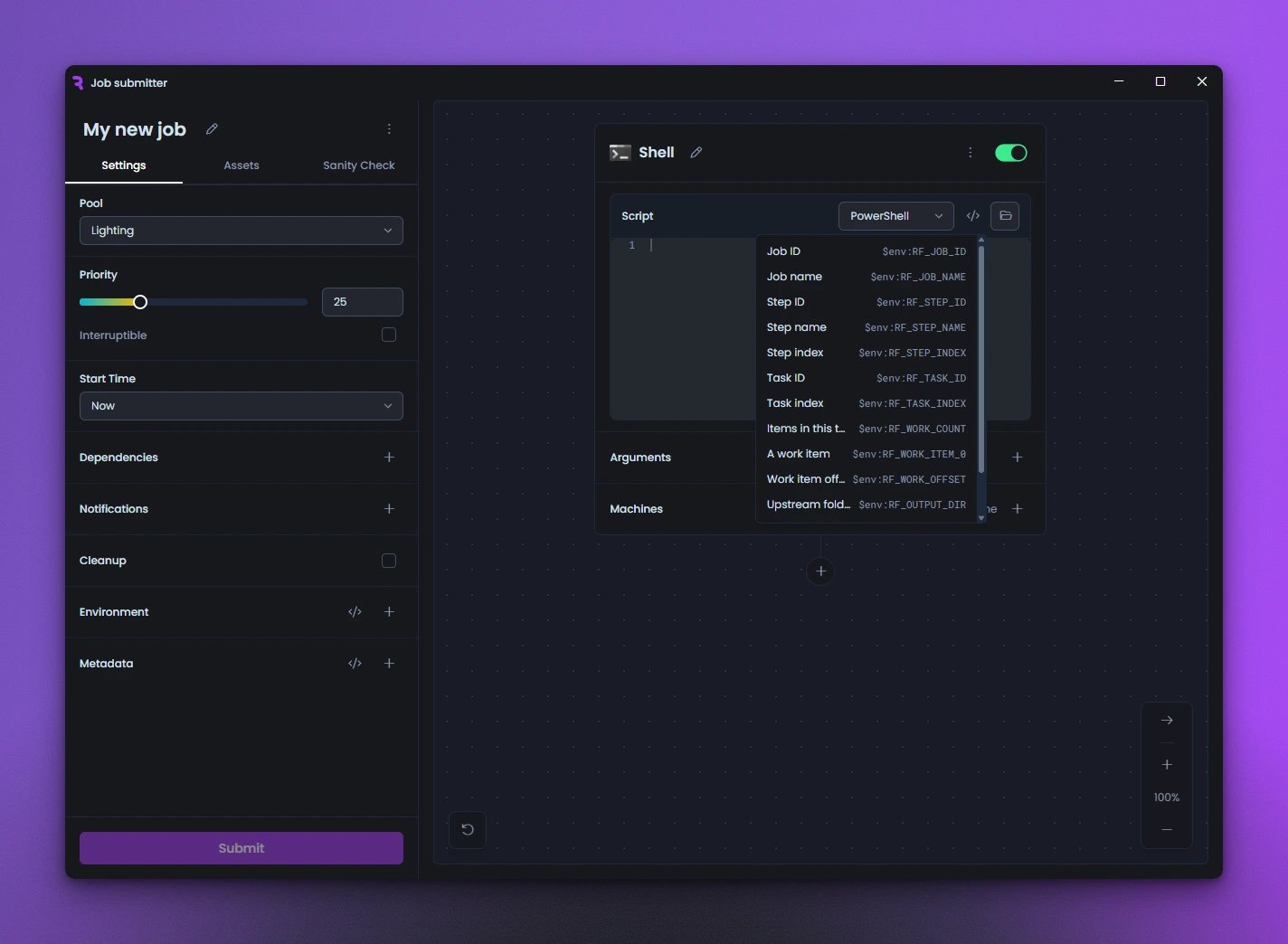
The token list over a PowerShell step, in PowerShell's own spelling
Parameters
A Shell step’s parameters are set when the job is created through the REST API withname and steps, in the step’s params prop; the submitter shows no field for them. Each one arrives as RF_PARAM_<NAME>, upper-cased, with anything that is not a letter or a digit replaced by an underscore. A parameter named output dir is RF_PARAM_OUTPUT_DIR.
Values are always text. A switch arrives as true or false, a number as its digits, a list as JSON. A parameter with no value at all is not set, while an empty text arrives as an empty variable, so test for both.