

Script File
With the Script - File module you can set a Pre-Render and a Post-Render script for each of the setups. This can come handy if you would like to do extra things before and after the render process.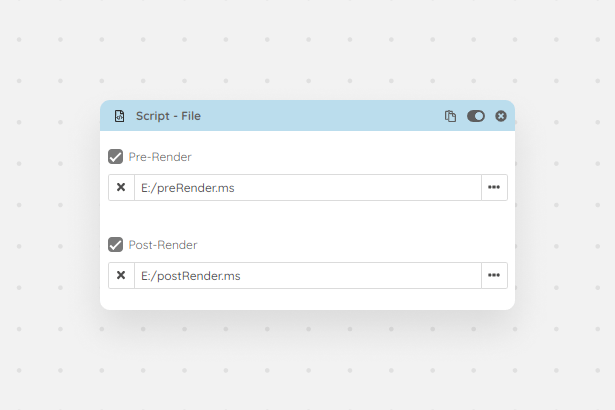
Script File module with pre-render and post-render script paths
Script Editor
As an alternative to the Script - File module, the Editor provides an option for TDs and Developers to extend the core functionality of the Scene Manager. You can paste in your code or write it directly in the module. It has all the functionalities a Code Editor should have, including basic MaxScript syntax and autocompletion with V-Ray, Corona and FStorm render settings. There are 4 tabs where you can place code:- Pre-Setup - Runs before setting the properties (Camera, Resolution, Lighting, Render Output, etc.)
- Post-Setup - Runs after all other properties have been set but before Pre-Render
- Pre-Render - Executed before the render starts
- Post-Render - Executed after the render finishes
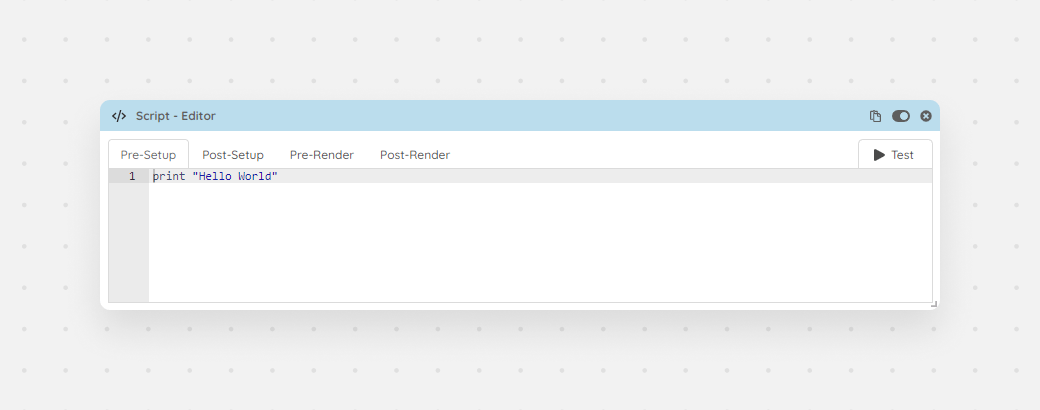
Script Editor with MaxScript code, syntax highlighting, and Pre/Post tabs