

Creating a key
1
Open Settings
Press the gear icon, then API Keys under Access.
2
Press New API key
Give it the name of the thing that will use it, not the person who made it. A key called
ftrack sync is one you can revoke without wondering what breaks.3
Choose who it is for
With system settings rights, pick the person the key acts as under For, such as the account an integration submits as. Its jobs are that person’s. Without those rights, a key is always your own.
4
Tick what it may do
Tick the scopes the key needs, or press a preset: Read only, Submit, Jobs or Everything. Turn on Only jobs this key submitted to keep the key away from other people’s jobs. See Scopes.
5
Press Create and copy the value
It is shown once. The farm keeps only a fingerprint of it, so afterwards the list shows the key’s Name, a masked fingerprint under Key, its Scopes, Owner and Created At. Nothing in the list can be used as a key.
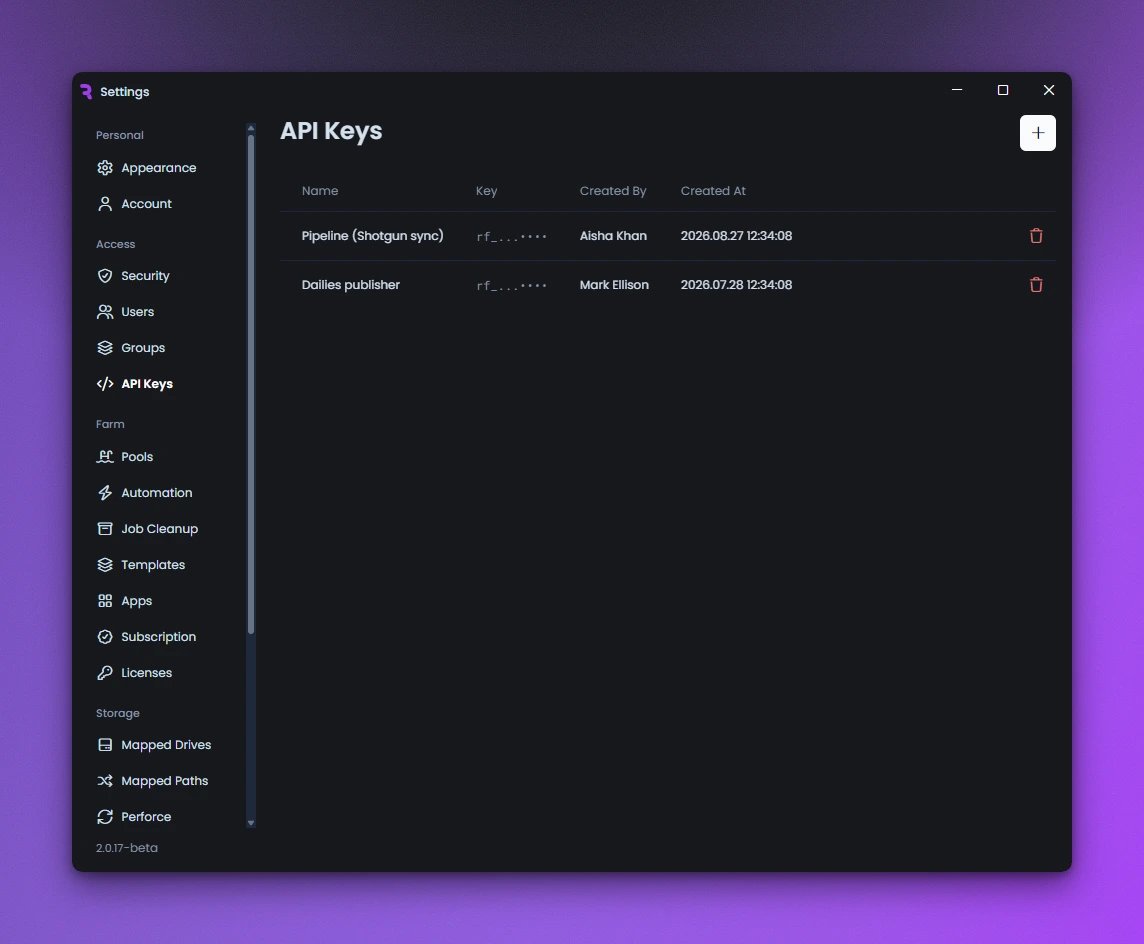
Settings, API Keys, with a key per thing that uses one
Using it
The key goes in anAuthorization header:
RENDERFLOW_API_KEY from the environment when you do not pass a key, and rfcli requires that variable. The TypeScript SDK reads nothing from the environment, so pass apiKey yourself, as above.
From the machine itself
A call to127.0.0.1 needs no credential. Being on the machine is the proof, and it is the trust boundary the whole API is written around rather than a gap in it.
This is how a DCC submitter works. The plugins inside 3ds Max, Maya, Houdini, Nuke and the rest build http://127.0.0.1:44442/api/v1 with their host application’s own standard library and post a job to it, with no key to configure and nothing for an artist to paste.
Ports
Loopback is plaintext on every role. A certificate for a public name does not validate against
127.0.0.1, and a local caller cannot carry a private authority, so TLS there would break every submitter to encrypt traffic that never reaches a wire.
Turn TLS on with the TLS switch under Settings, Server, giving it your own certificate and private key, or start the service with --tls, --tls-cert and --tls-key. With TLS on, the server answers the farm over HTTPS on 44445 and 44442 answers loopback only. With TLS off, the farm is served in plaintext on 44442. A caller names the scheme in the address, so https://10.11.30.40:44445 and http://10.11.30.40:44442 reach the same farm through different listeners.
What a key reaches
An API key reaches the published API: the operations in the reference, which is jobs, tasks, machines, pools, users, groups, the schedule, licenses, errors and webhooks, and the administration a studio scripts: the event and audit logs and their exports, the statistics and their export, maintenance mode, the database status, listing and taking backups, and collecting a support bundle. Within that, a key can call only what its scopes allow.Scopes
A key can do exactly what is ticked on it, whoever holds it. The scopes are the same permissions as in Settings > Groups, and they narrow what the key’s owner may do. A key an admin creates and hands to a TD with Submit ticked can submit and control jobs, and nothing more.- You can only tick what the owner’s group may do. The rest is greyed out. Take a right away from the group and its keys lose it too.
- Only jobs this key submitted limits the key’s job scopes to the jobs it created itself. It can still see every job with
job.view. - A key without any scopes can do nothing. Edit it and tick what it needs.
- A key stops working when its owner is deleted.
The API Keys settings page lists the scopes your farm offers, and
GET /api/v1/api-keys/scopes on the server returns them with the operations each one covers.
When a call is refused
rfcli separates the two cases by exit code, so a script can tell “ask for a key” from “this key is wrong”: 8 means no key was set, 9 means the key was rejected.