

rfsv config in a terminal.
Before you start
- A Pulze account with a RenderFlow subscription or an active trial. Only the server signs in to it; the machines that join it do not.
- A shared network folder that every machine can reach, addressed as a UNC path.
- The installer for each platform, from your Pulze account.
- On Windows, close 3ds Max, Maya, Blender and any other supported application on the machine first. The installer stops while one of them is open.
The three roles
A workstation starts suspended so that it never renders while an artist is working on it, whereas a node starts idle and takes work immediately. You can change either later on the Machines screen, and Settings → Automation can hand a workstation to the farm after a period of inactivity and give it back on the next keypress.
Install
- Windows
- Linux
- macOS
Run the downloaded installer:RenderFlow is installed to:
Start RenderFlow
- Windows
- Linux
- macOS
Launch RenderFlow from the Start menu, and it starts the background service (
rfsv.exe) if it is not already running.On Windows, RenderFlow starts at user login, so a workstation needs nothing further. On Linux and macOS, start it with
start.sh. The installer registers no service unless you ask: for an unattended machine, add --service to the install command, or set the service up yourself. See Run as a Service.The licence agreement
A server asks you to accept the licence agreement the first time it runs, either in the app’s setup wizard or in therfsv config wizard, and stores your acceptance on the machine. Workstations and nodes do not ask for it. You can read the agreement any time at pulze.io/eula/renderflow.
To deploy a server unattended, pass --accept-eula to the installer:
- Windows
- Linux
- macOS
rfsv accepts it just as well:
--accept-eula still installs and applies its configuration. The server then starts only after the agreement is accepted, in the app or with rfsv eula --accept.
Finish setup
An installed machine still has to be configured, and there are two places to do that. In the app. The setup wizard opens by itself on first run and asks for the role. A server then asks for the agreement, sign-in and the repository; a workstation or node asks for the server’s address.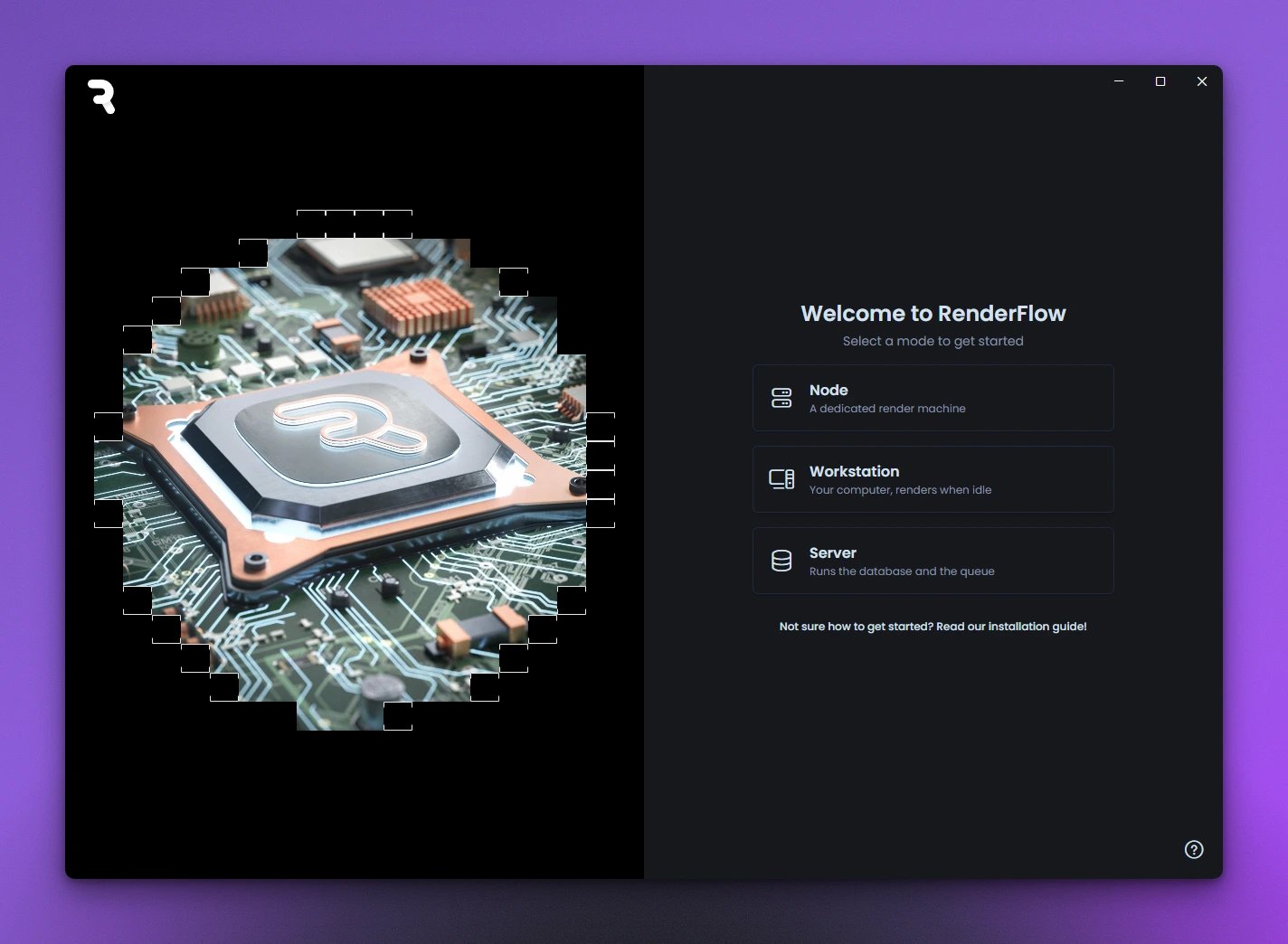
The setup wizard, asking what this machine is
rfsv config asks the same questions where there is no screen to show them on:
- Windows
- Linux
- macOS
Check a machine
Uninstall
- Windows
- Linux
- macOS
Uninstall from Apps & features, or run the uninstaller directly:
--purge removes them as well.
Other ways to install
Install a node or workstation straight from the farm’s server, in the version the server runs. The server hands out the installers added in Settings → Deploy.- Windows
- Linux
- macOS
Next steps
- Server and Nodes: a studio farm, set up through the app
- Silent Deployment: provisioning many machines from a script