

rfsv, and how to install it by hand.
Harmony, Vantage and Media Encoder have no submitter. Submit them from the RenderFlow app.
Before you install
Close the application first. It reads its plugins only at startup, and some lock their plugin files while open. Installing with rfsv.rfsv is RenderFlow’s command-line tool, in the RenderFlow installation folder. rfsv plugin-install followed by an application’s name installs or updates that application’s submitter, exactly as RenderFlow does at startup. Run it as administrator on Windows, or with sudo on Linux and macOS:
rfsv plugin-clean takes the same names and removes the submitters, all of them when you name none.
Installing by hand. The submitters ship inside the RenderFlow installation, in its plugins folder. Most destinations are system folders, so copy with administrator or root rights.
3ds Max
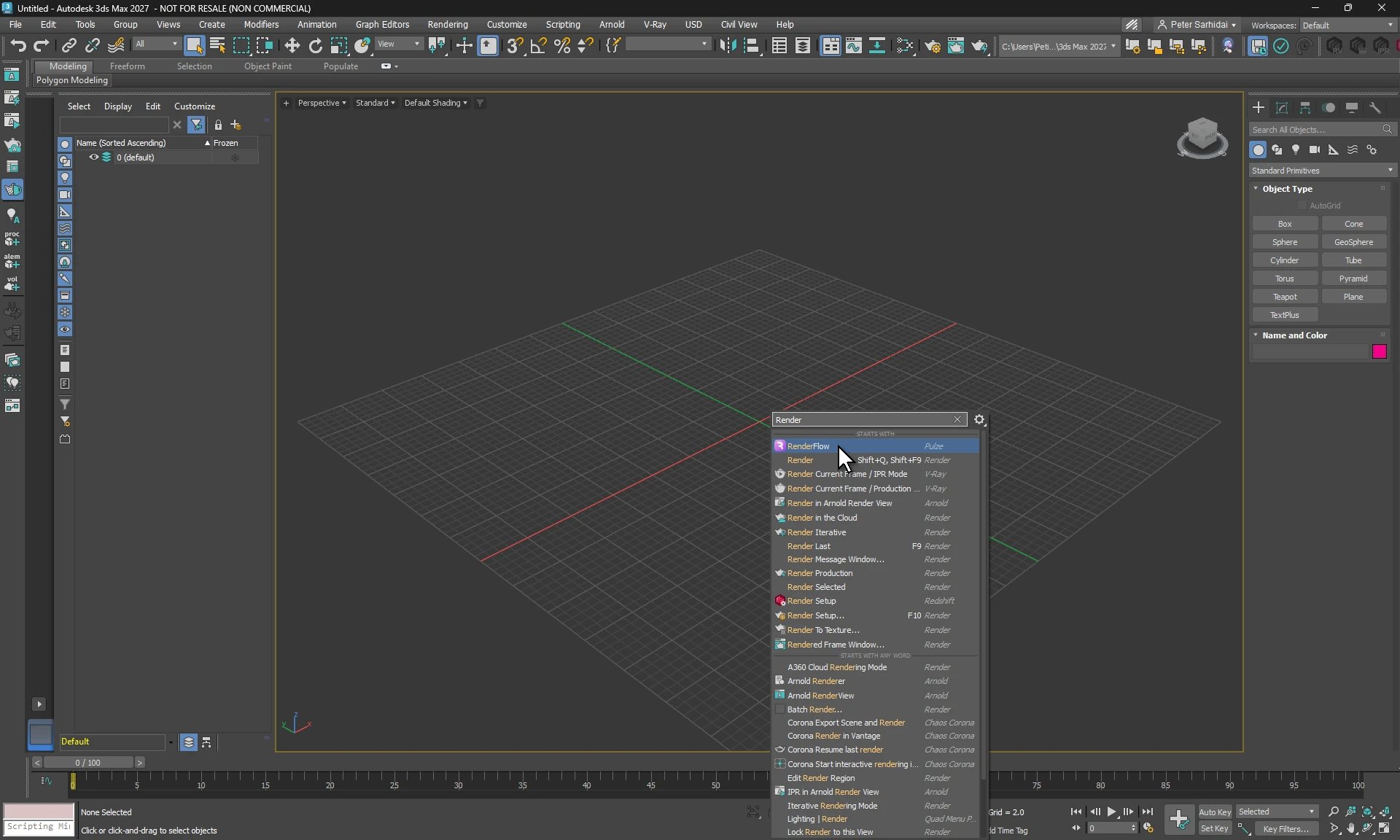
3ds Max: X in a viewport, then RenderFlow
rfsv plugin-install 3dsmax
Install by hand. Unpack plugins/max/RenderFlowMax<year>.zip for each 3ds Max version into C:\ProgramData\Autodesk\ApplicationPlugins\RenderFlowMax<year>. 3ds Max 2019 to 2027 on Windows are supported.
After Effects
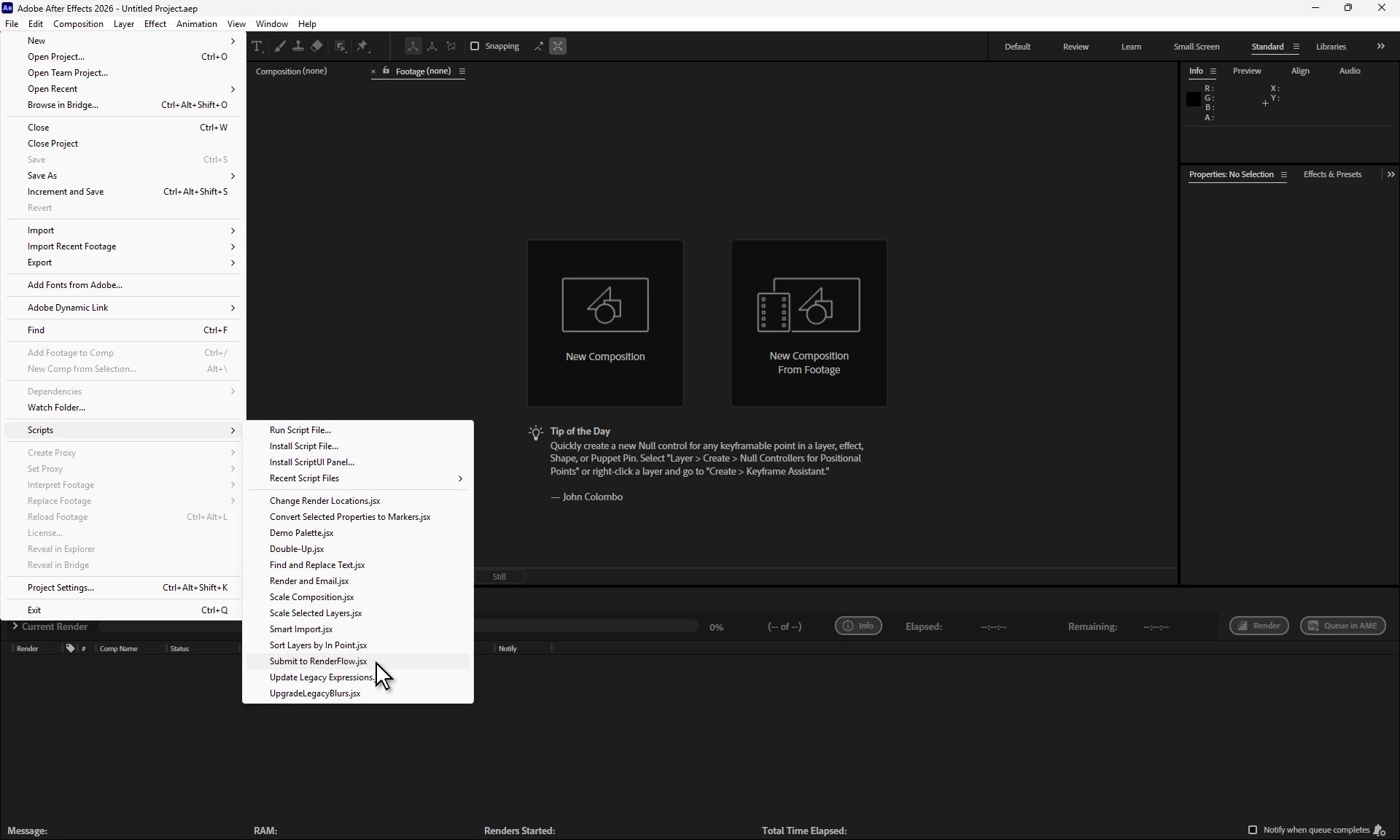
After Effects: File → Scripts → Submit to RenderFlow.jsx
rfsv plugin-install after
Install by hand. Copy plugins/after/Submit to RenderFlow.jsx into the Scripts folder of each After Effects version:
- Windows
- macOS
Autograph
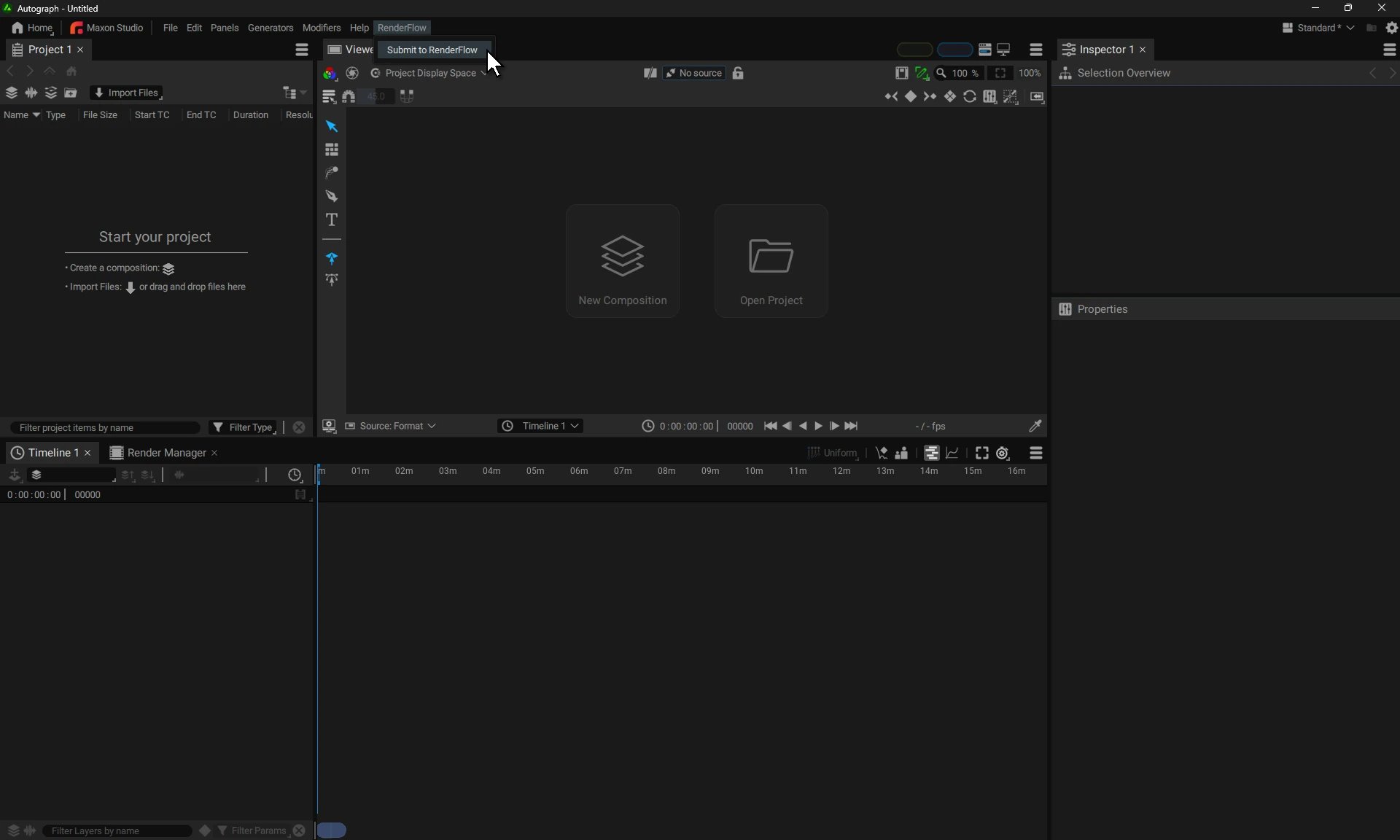
Autograph: RenderFlow → Submit to RenderFlow
rfsv plugin-install autograph. It reaches only accounts that have started Autograph at least once.
Install by hand. Copy the plugins/autograph/RenderFlow folder into the Autograph Python folder of each artist’s account:
- Windows
- macOS
Blender
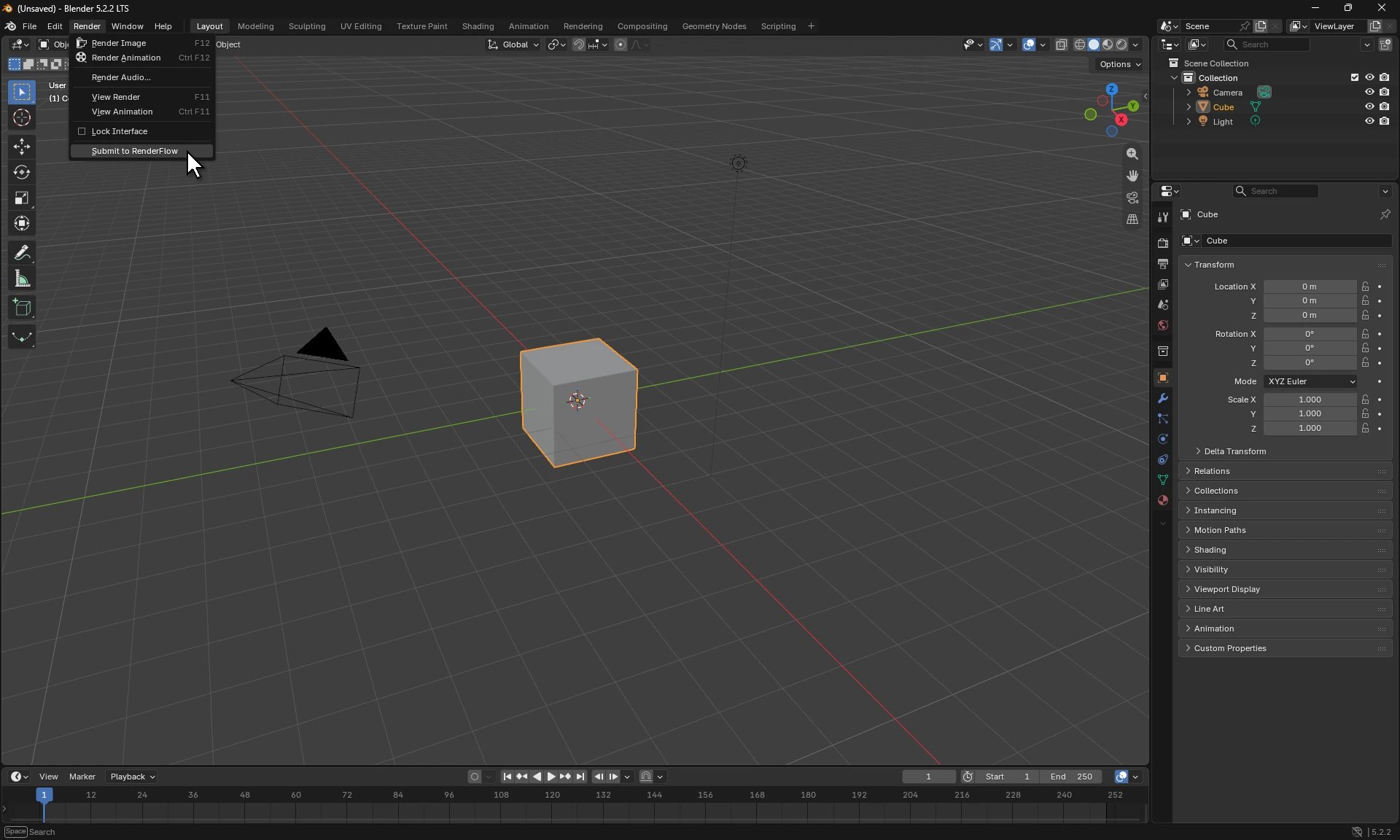
Blender: Render → Submit to RenderFlow
rfsv plugin-install blender. It installs for the user who runs it.
Install by hand. Install plugins/blender/renderflow_blender.zip from Edit → Preferences → Add-ons → Install from Disk, or unpack it into the add-ons folder of the Blender version:
- Windows
- Linux
- macOS
Cinema 4D
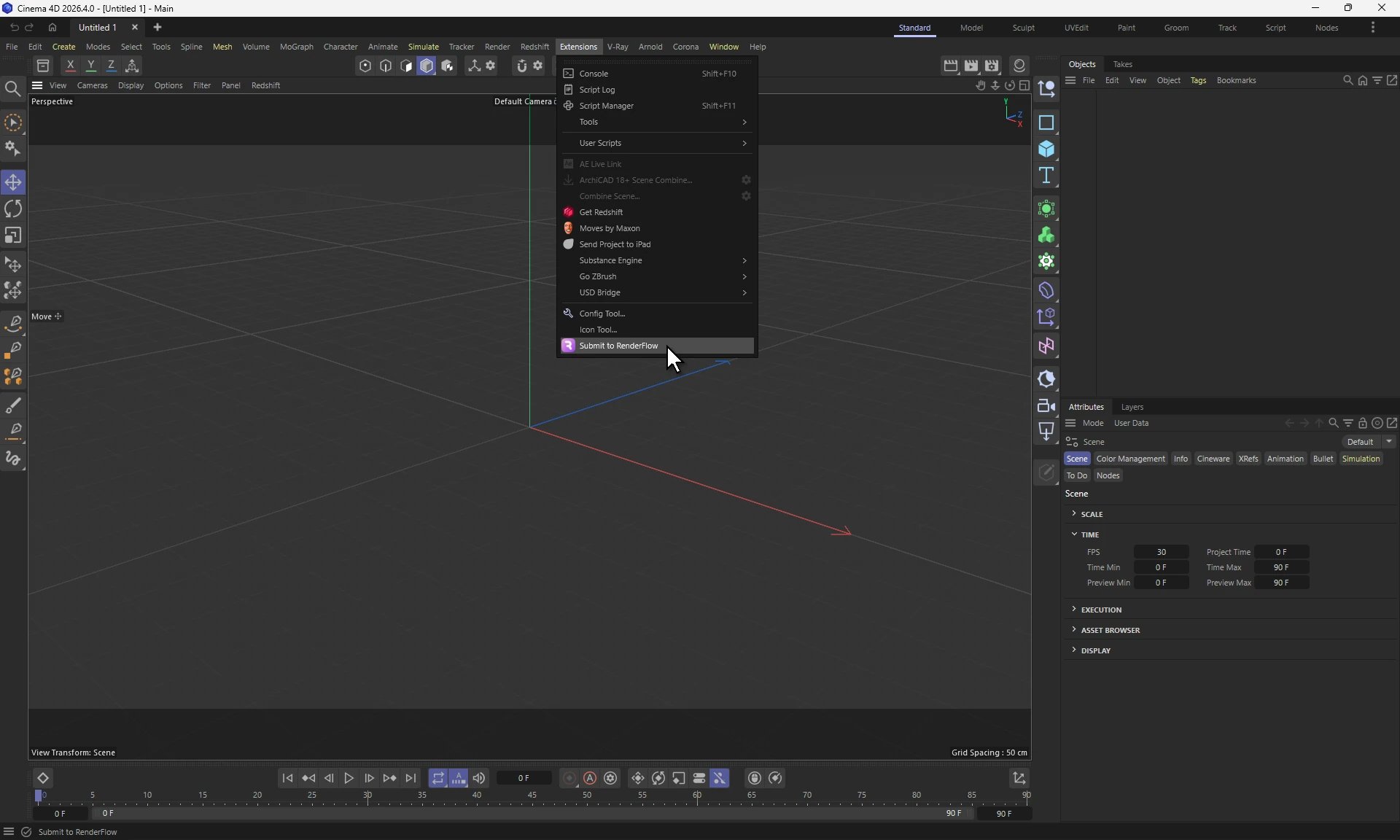
Cinema 4D: Extensions → Submit to RenderFlow
rfsv plugin-install cinema4d
Install by hand. Unpack plugins/cinema/RenderFlowCinema.zip into the plugins folder inside the Cinema 4D installation, for example C:\Program Files\Maxon Cinema 4D 2026\plugins.
ComfyUI
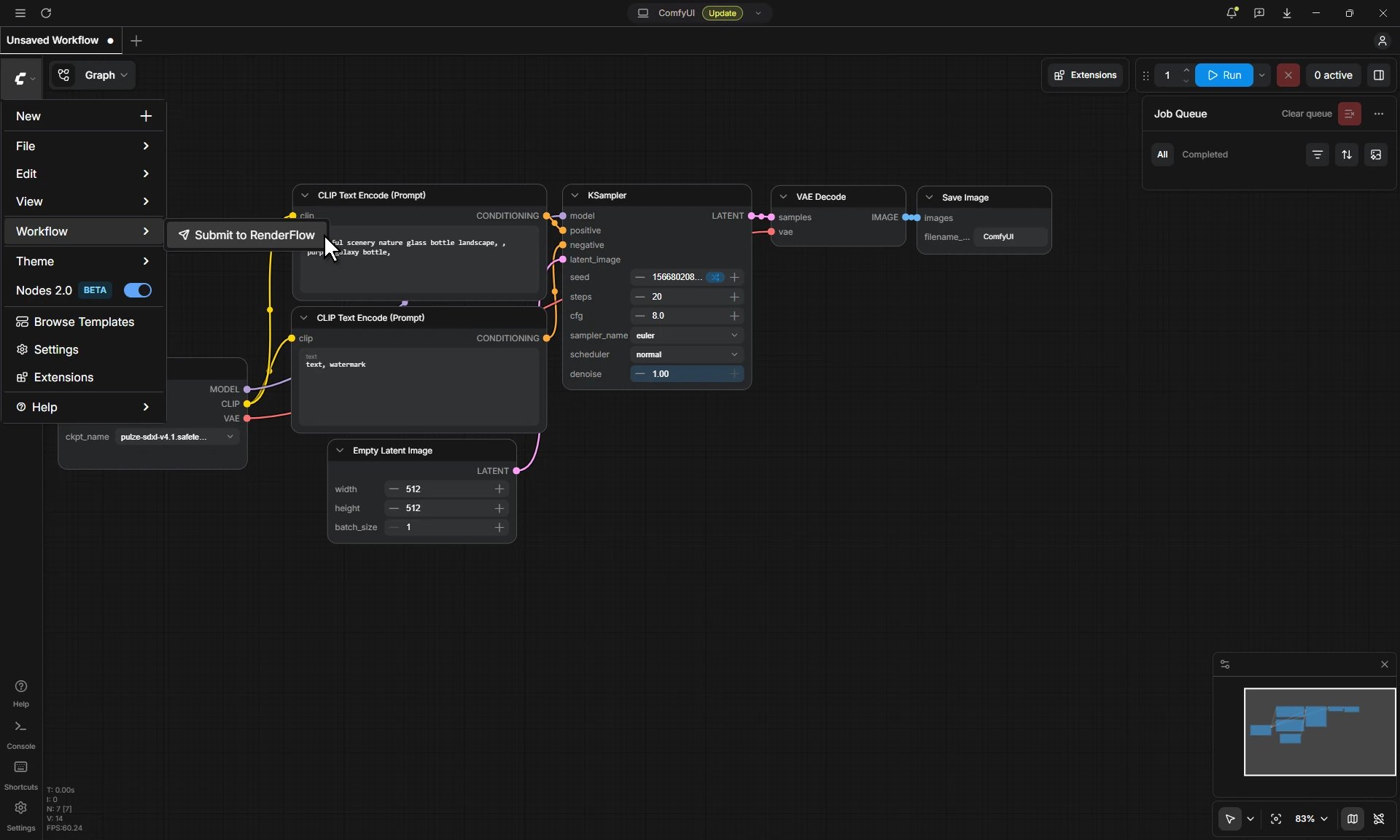
ComfyUI: the C menu, Workflow → Submit to RenderFlow
rfsv plugin-install comfyui
Install by hand. Unpack plugins/comfy/renderflow_comfy.zip into the custom_nodes folder of the ComfyUI installation, as custom_nodes/renderflow_comfy, and restart ComfyUI.
DaVinci Resolve
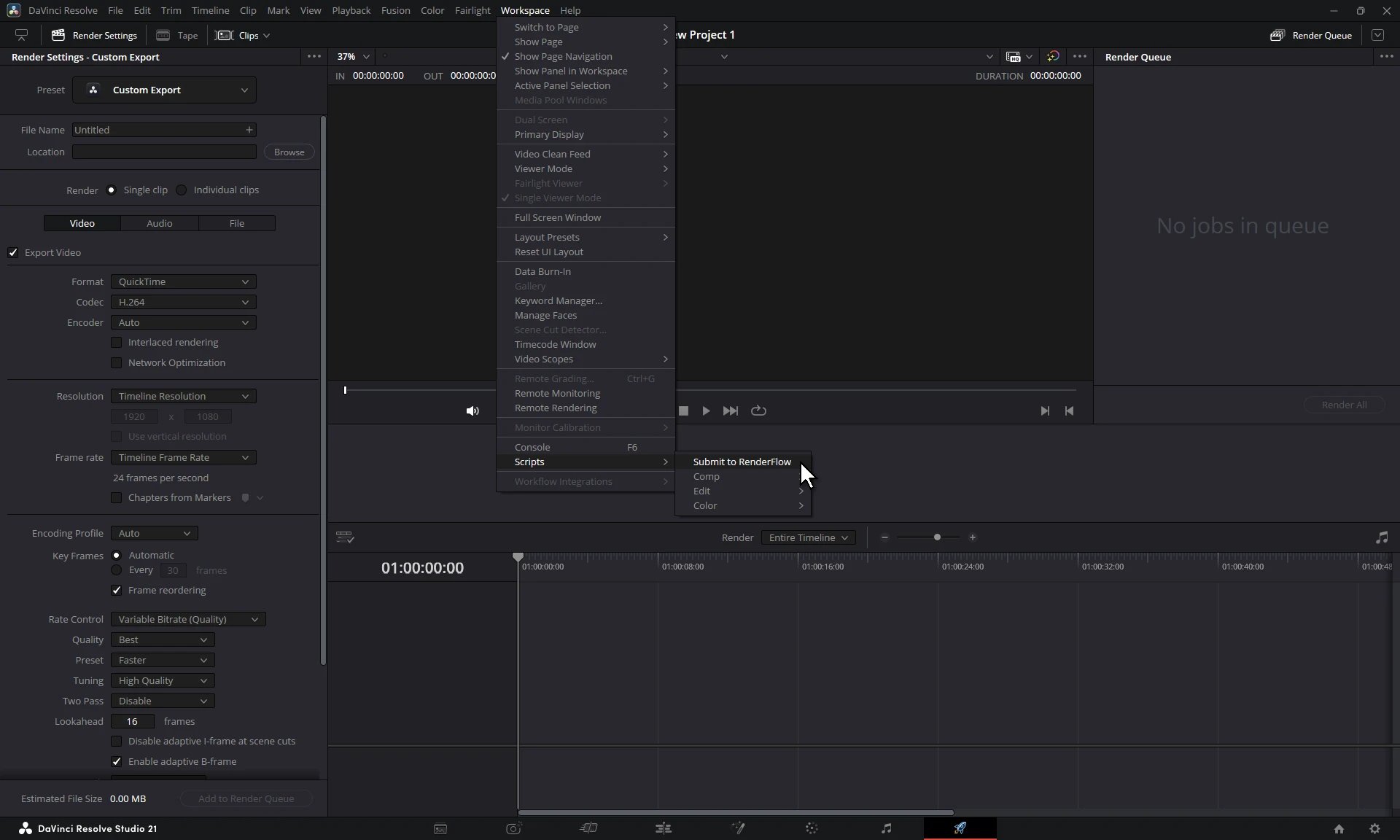
DaVinci Resolve: Workspace → Scripts → Submit to RenderFlow
rfsv plugin-install davinci
Install by hand. Copy plugins/davinci/submit.py into the folder below and rename it to Submit to RenderFlow.py. The file name is the name shown in the menu.
- Windows
- Linux
- macOS
Fusion
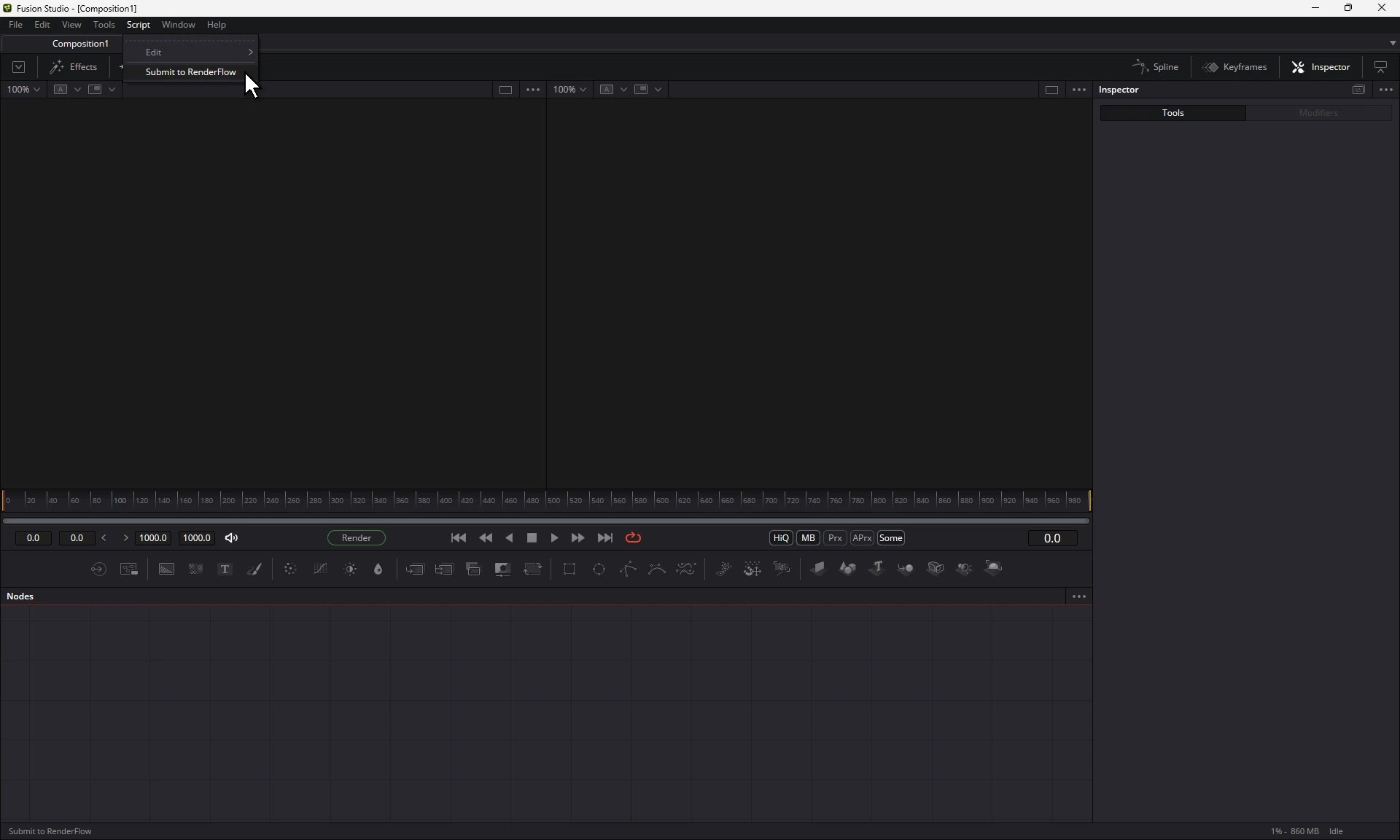
Fusion: Script → Submit to RenderFlow
rfsv plugin-install fusion
Install by hand. Copy plugins/fusion/Submit to RenderFlow.py into the folder below.
- Windows
- Linux
- macOS
Houdini
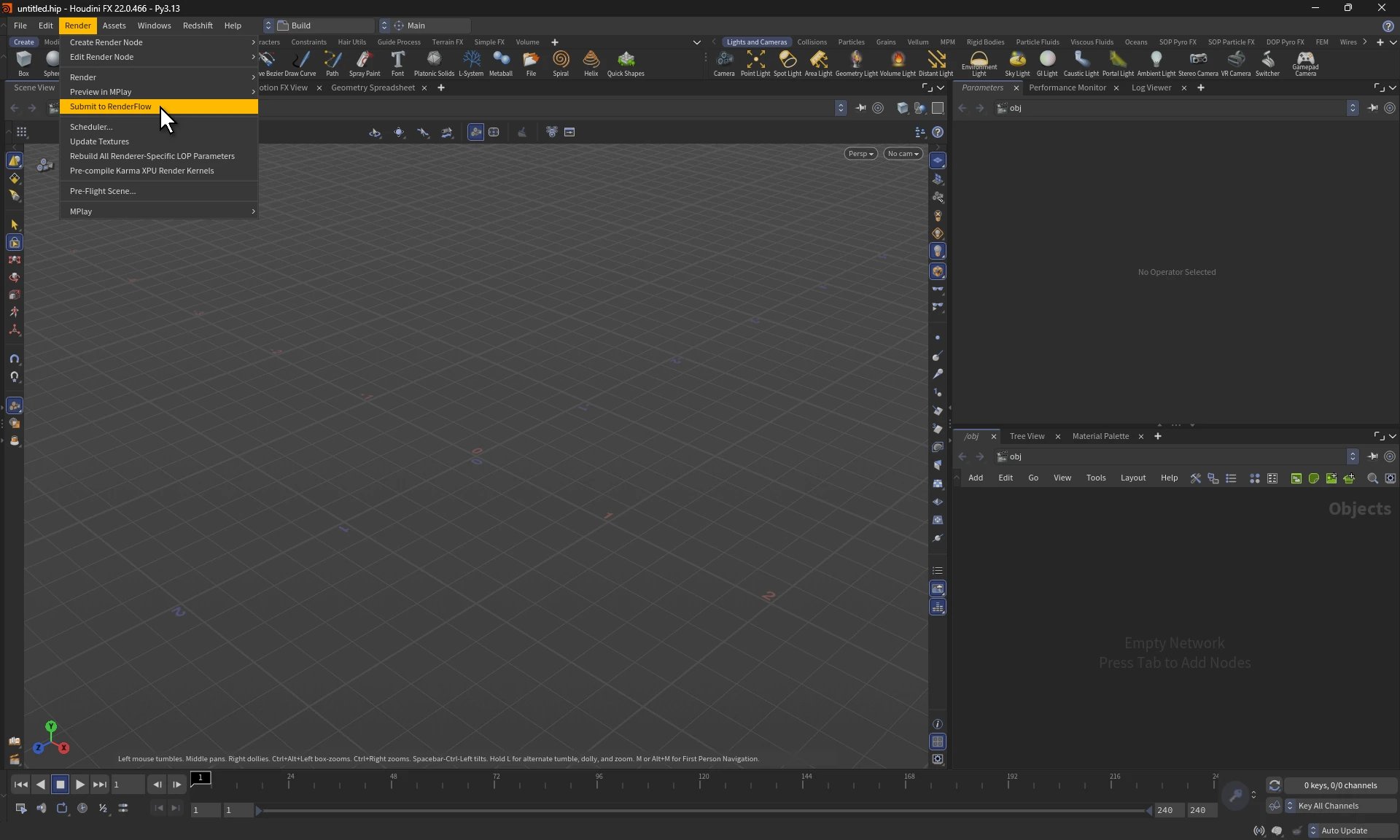
Houdini: Render → Submit to RenderFlow
rfsv plugin-install houdini
Install by hand. Unpack plugins/houdini/renderflow_houdini.zip into the packages folder of each Houdini installation, for example C:\Program Files\Side Effects Software\Houdini 21.0.440\packages.
KeyShot
Where to find it. Window → Scripting Console → Scripts → Submit to RenderFlow Install with rfsv.rfsv plugin-install keyshot
Install by hand. Copy plugins/keyshot/Submit to RenderFlow.py into the Scripts folder of the KeyShot resource folder, which is Documents\KeyShot <version>\Scripts on Windows and ~/Library/Application Support/KeyShot<version>/Scripts on macOS unless you moved it in KeyShot’s preferences.
Maya
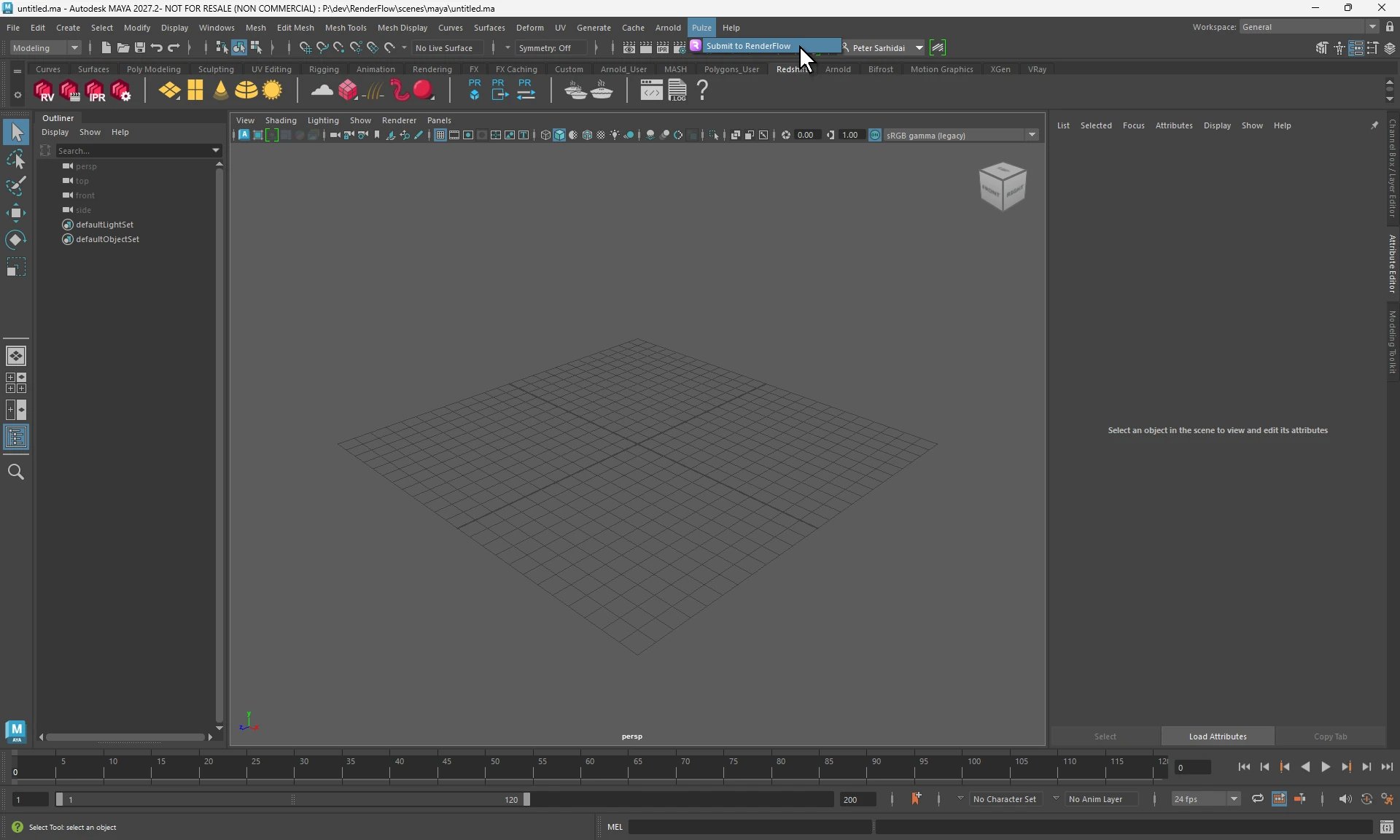
Maya: Pulze → Submit to RenderFlow
rfsv plugin-install maya
Install by hand. Unpack plugins/maya/RenderFlowMaya<year>.zip for each Maya version into:
- Windows
- Linux
- macOS
Nuke
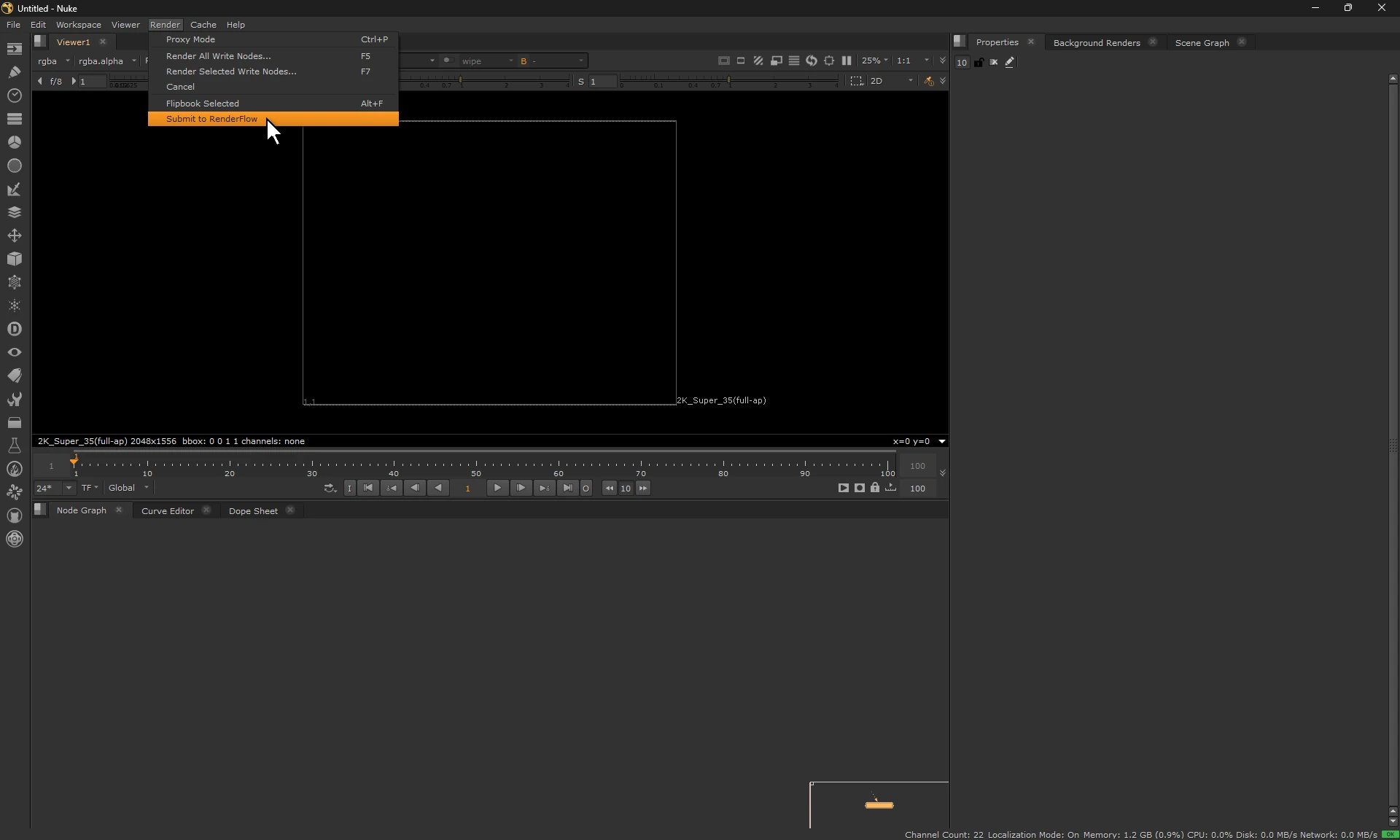
Nuke: Render → Submit to RenderFlow
rfsv plugin-install nuke
Install by hand. Unpack plugins/nuke/renderflow_nuke.zip somewhere temporary. It holds a renderflow_nuke folder with a second renderflow_nuke folder and a menu.py inside. Copy both into the plugins folder of the Nuke version:
- Windows
- Linux
- macOS
menu.py, add the lines from the zip’s menu.py to the end of it instead of replacing it.
Premiere Pro
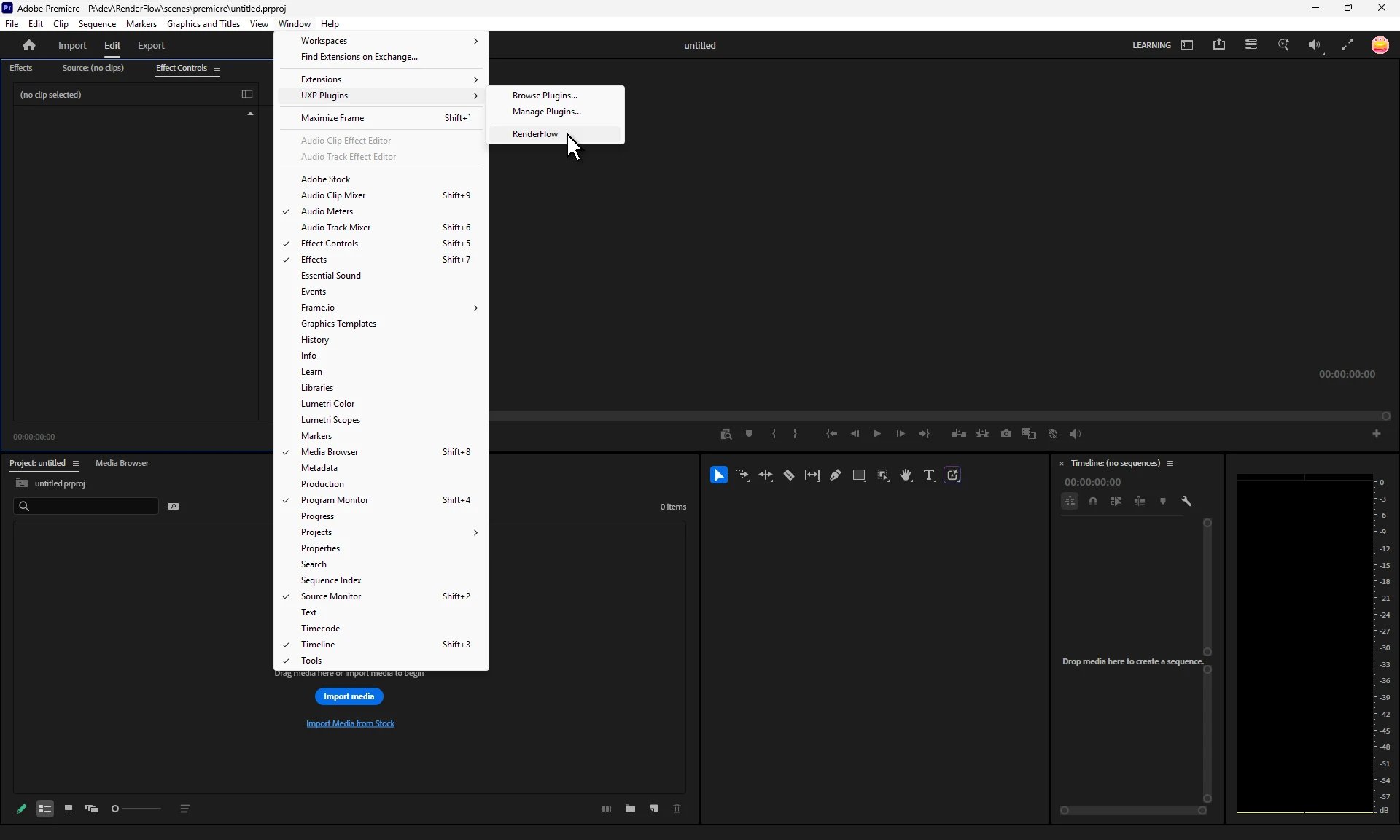
Premiere Pro: Window → UXP Plugins → RenderFlow
rfsv installs the Premiere Pro submitter.
Install by hand. Every artist who submits from Premiere Pro installs it once, on their own account:
1
Close Premiere Pro
2
Open the installer
Double-click
renderflow-premiere.ccx in C:\Program Files\Pulze\RenderFlow\plugins\premiere on Windows, or /Applications/Pulze/RenderFlow/plugins/premiere on macOS. Creative Cloud installs the plugin.3
Submit
Open your project in Premiere Pro and choose Window → UXP Plugins → RenderFlow.
.ccx again after updating RenderFlow.
Rhino
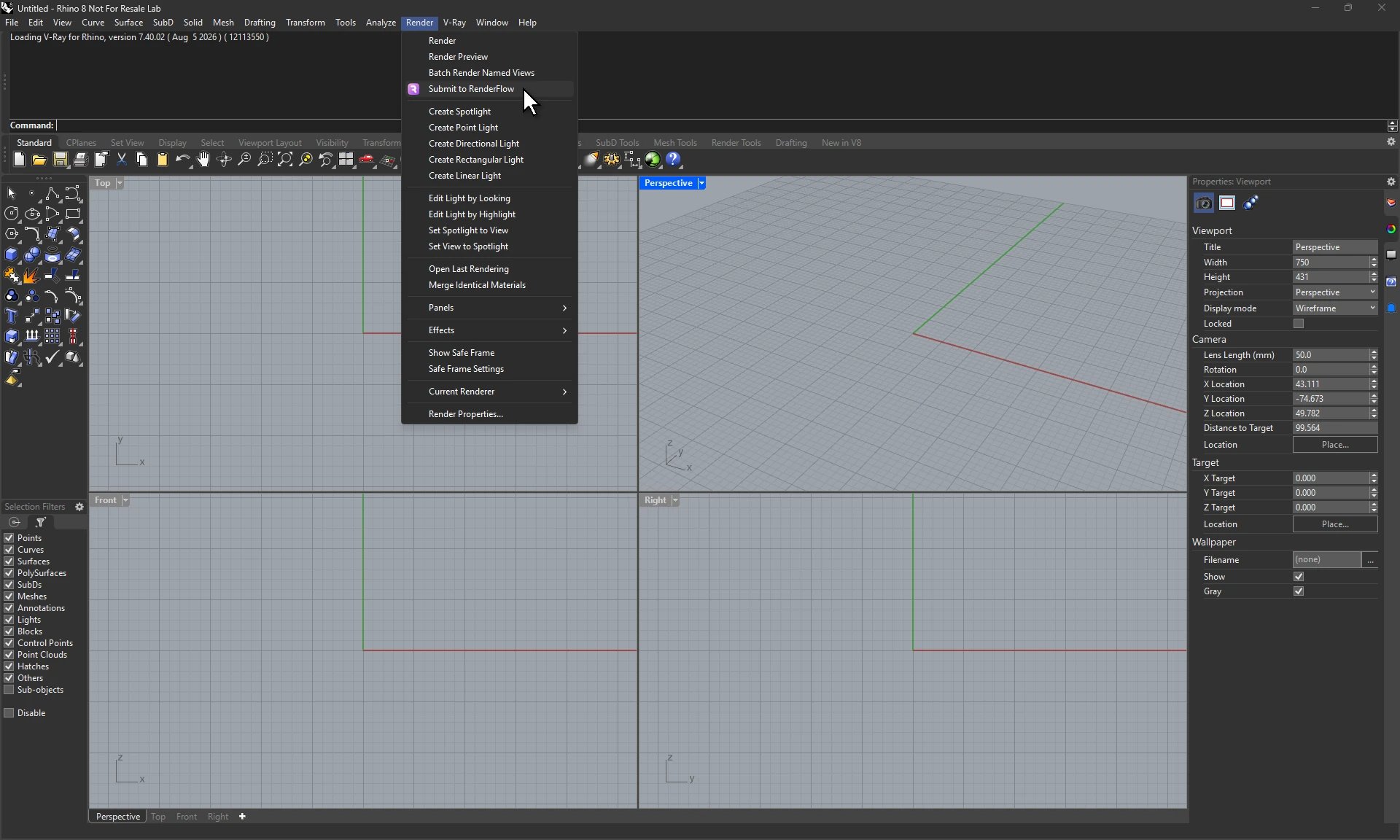
Rhino: Render → Submit to RenderFlow
rfsv plugin-install rhino. It registers the plugin for Rhino 7 and 8.
Install by hand. Open Rhino, choose Tools → Options → Plug-ins → Install, and pick RenderFlowRhino.rhp in C:\Program Files\Pulze\RenderFlow\plugins\rhino.
SketchUp
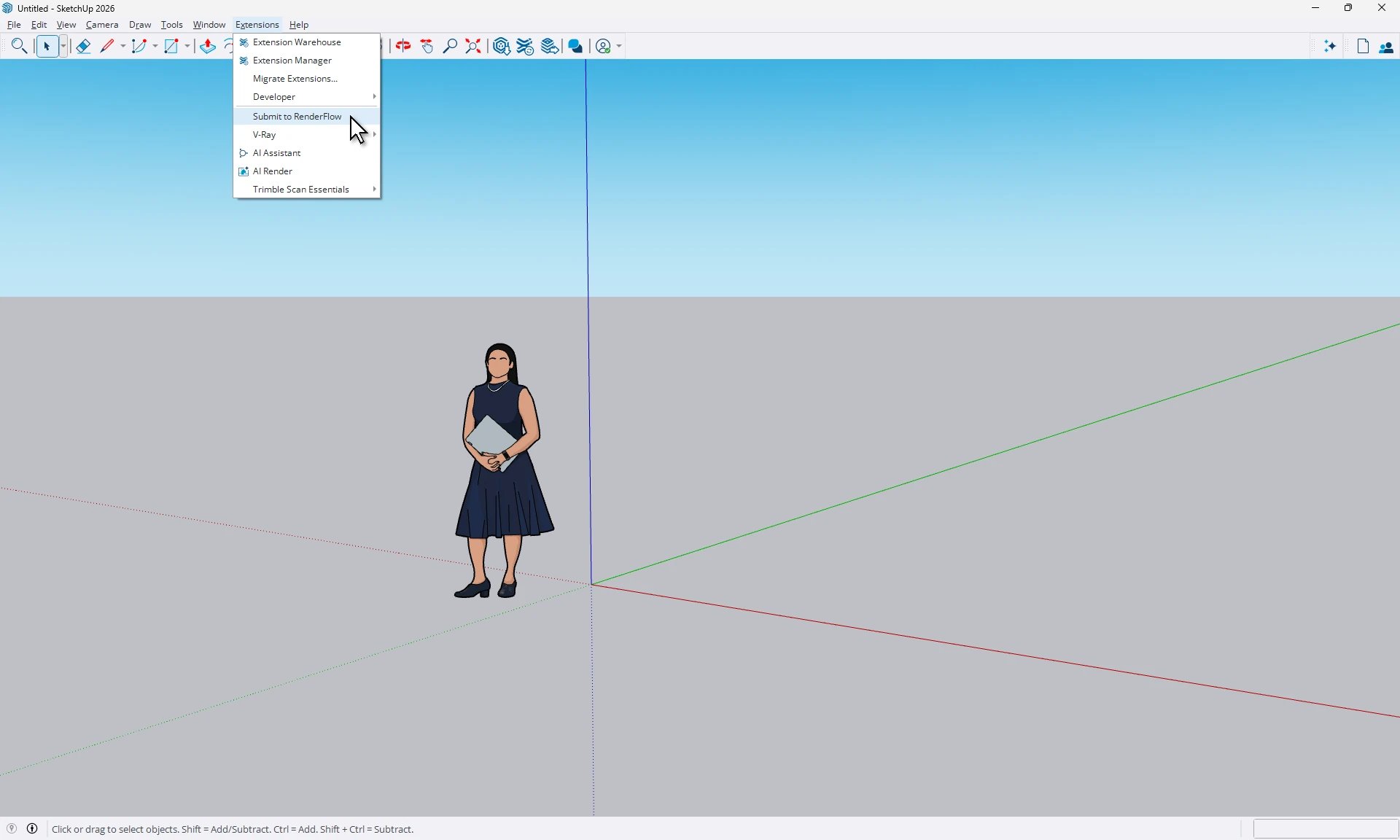
SketchUp: Extensions → Submit to RenderFlow
rfsv plugin-install sketchup
Install by hand. Copy plugins/sketchup/renderflow_sketchup.rb and the renderflow_sketchup folder next to it into the SketchUp Plugins folder: C:\ProgramData\SketchUp\SketchUp <year>\SketchUp\Plugins on Windows, /Library/Application Support/SketchUp <year>/SketchUp/Plugins on macOS. On macOS, quit SketchUp completely before it picks up the plugin.
Unreal Engine
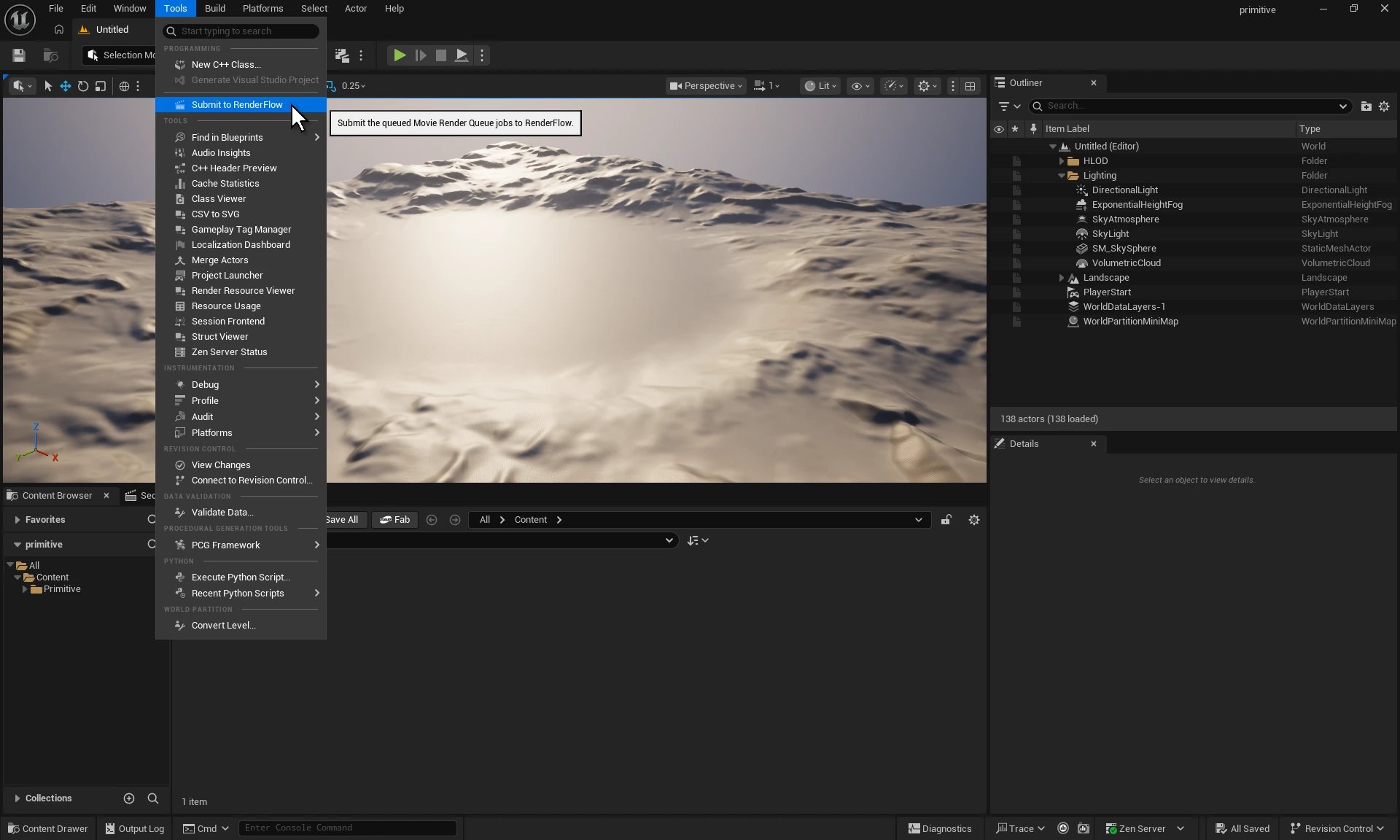
Unreal Engine: Tools → Submit to RenderFlow
rfsv plugin-install unreal
Install by hand. Unpack plugins/unreal/RenderFlow.zip into the engine as Engine/Plugins/Marketplace/RenderFlow, for example C:\Program Files\Epic Games\UE_5.6\Engine\Plugins\Marketplace\RenderFlow. The plugin turns on Python Editor Script Plugin, Movie Render Queue and Sequencer Scripting, which it needs.
VRED Pro
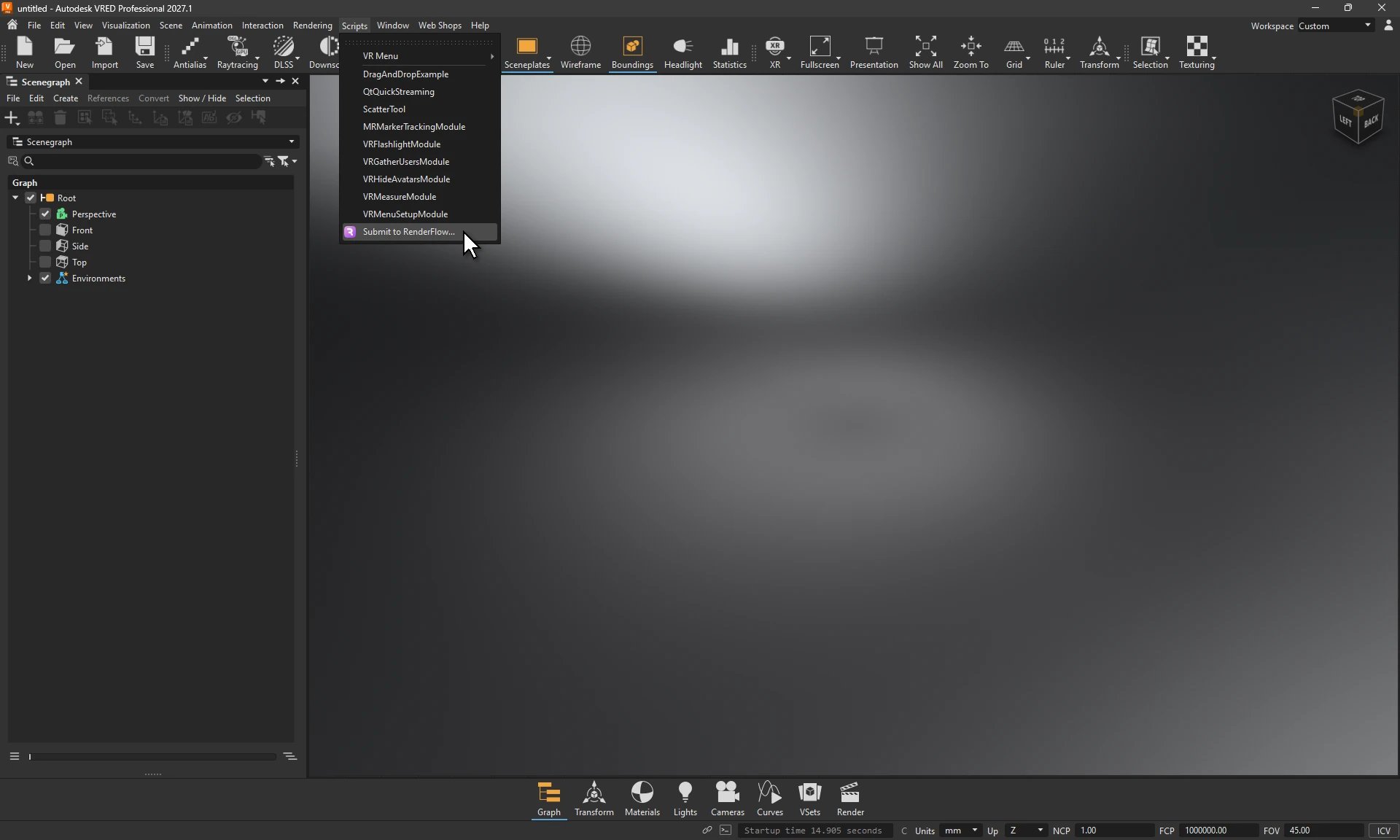
VRED Pro: Scripts → Submit to RenderFlow…
rfsv plugin-install vred
Install by hand. Copy the plugins/vred/RenderFlow folder into C:\ProgramData\Autodesk\VRED\ScriptPlugins.