

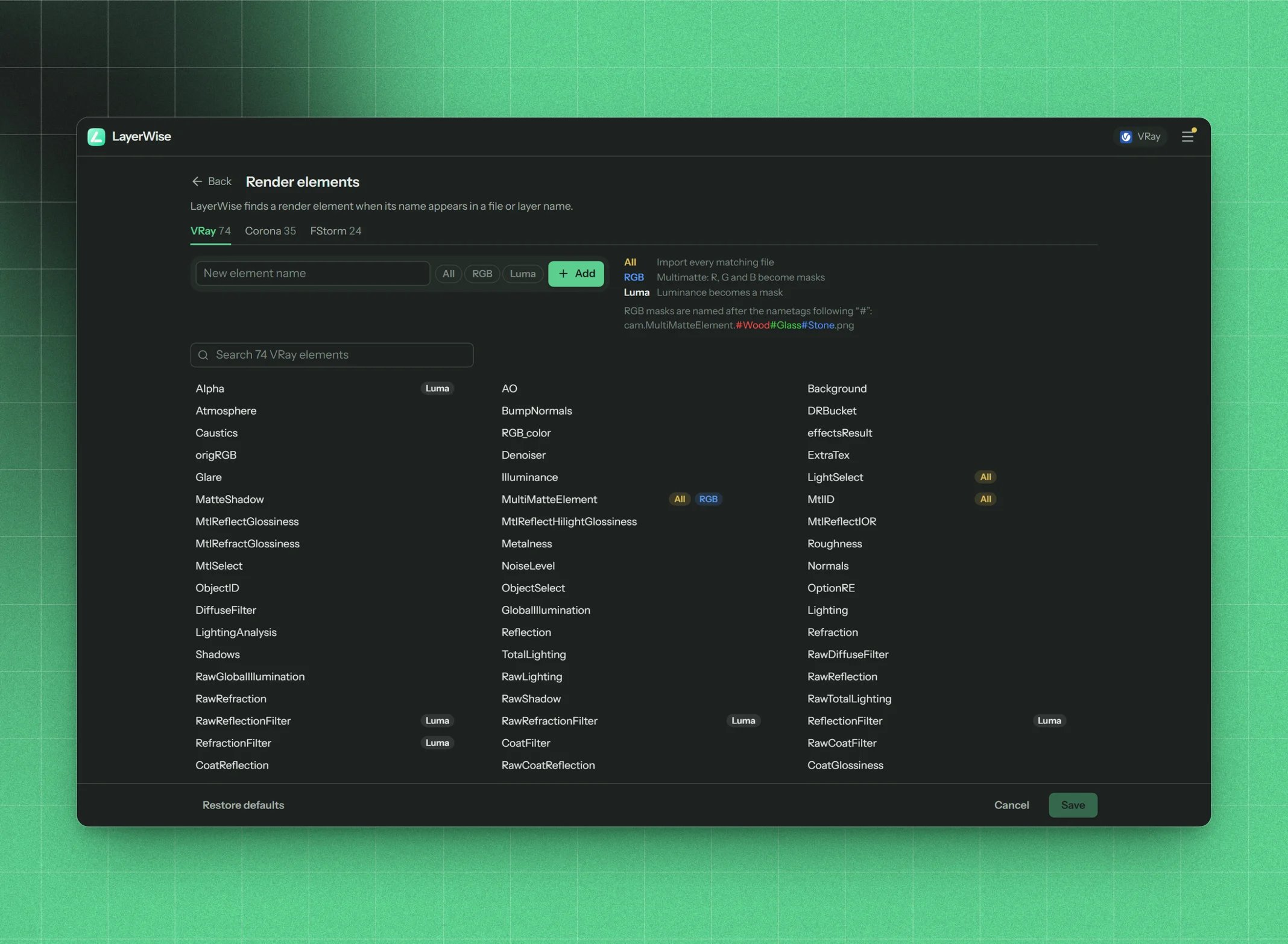
The render element list of each engine
The flags
Add an element
Type the name in New element name, set its flags and press + Add. The name must be unique and is case-sensitive. It’s matched as part of file and layer names, soWood_Mask recognizes cam01.Wood_Mask.png.
Add an element when:
- your renders use a pass LayerWise doesn’t know (a custom V-Ray ExtraTex, a renamed element),
- a file shows up under These files matched no element,
- a template says an element is Not recognized.
Save or restore
Changes apply when you press Save. Cancel discards them. Restore defaults brings back the original list (it takes effect on Save too).Default element lists
- V-Ray (75)
- Corona (36)
- FStorm (25)
Import all: LightSelect, MultiMatteElement, MtlID, ZDepth
RGB masks: MultiMatteElement
Crypto: Cryptomatte
Luma mask: Alpha, ZDepth, ReflectionFilter, RefractionFilter, RawReflectionFilter, RawRefractionFilterAlpha, AO, Background, Atmosphere, BumpNormals, DRBucket, Caustics, RGB_color, effectsResult, origRGB, Denoiser, ExtraTex, Glare, Illuminance, LightSelect, MatteShadow, MultiMatteElement, Cryptomatte, MtlID, MtlReflectGlossiness, MtlReflectHilightGlossiness, MtlReflectIOR, MtlRefractGlossiness, Metalness, Roughness, MtlSelect, NoiseLevel, Normals, ObjectID, ObjectSelect, OptionRE, DiffuseFilter, GlobalIllumination, Lighting, LightingAnalysis, Reflection, Refraction, Shadows, TotalLighting, RawDiffuseFilter, RawGlobalIllumination, RawLighting, RawReflection, RawRefraction, RawShadow, RawTotalLighting, RawReflectionFilter, RawRefractionFilter, ReflectionFilter, RefractionFilter, CoatFilter, RawCoatFilter, CoatReflection, RawCoatReflection, CoatGlossiness, CoatSpecular, SheenFilter, RawSheenFilter, SheenReflection, RawSheenReflection, SheenGlossiness, SheenSpecular, SelfIllumination, Specular, WireColor, ZDepth, RenderID, SampleRate, SamplerInfo, SSS2, Toon, Velocity, UnclampedColor, RenderTime, GaussianSplats
Your own elements and the flags you changed are kept when LayerWise is updated, and new default elements show up on their own. You don’t need Restore defaults after an update.