

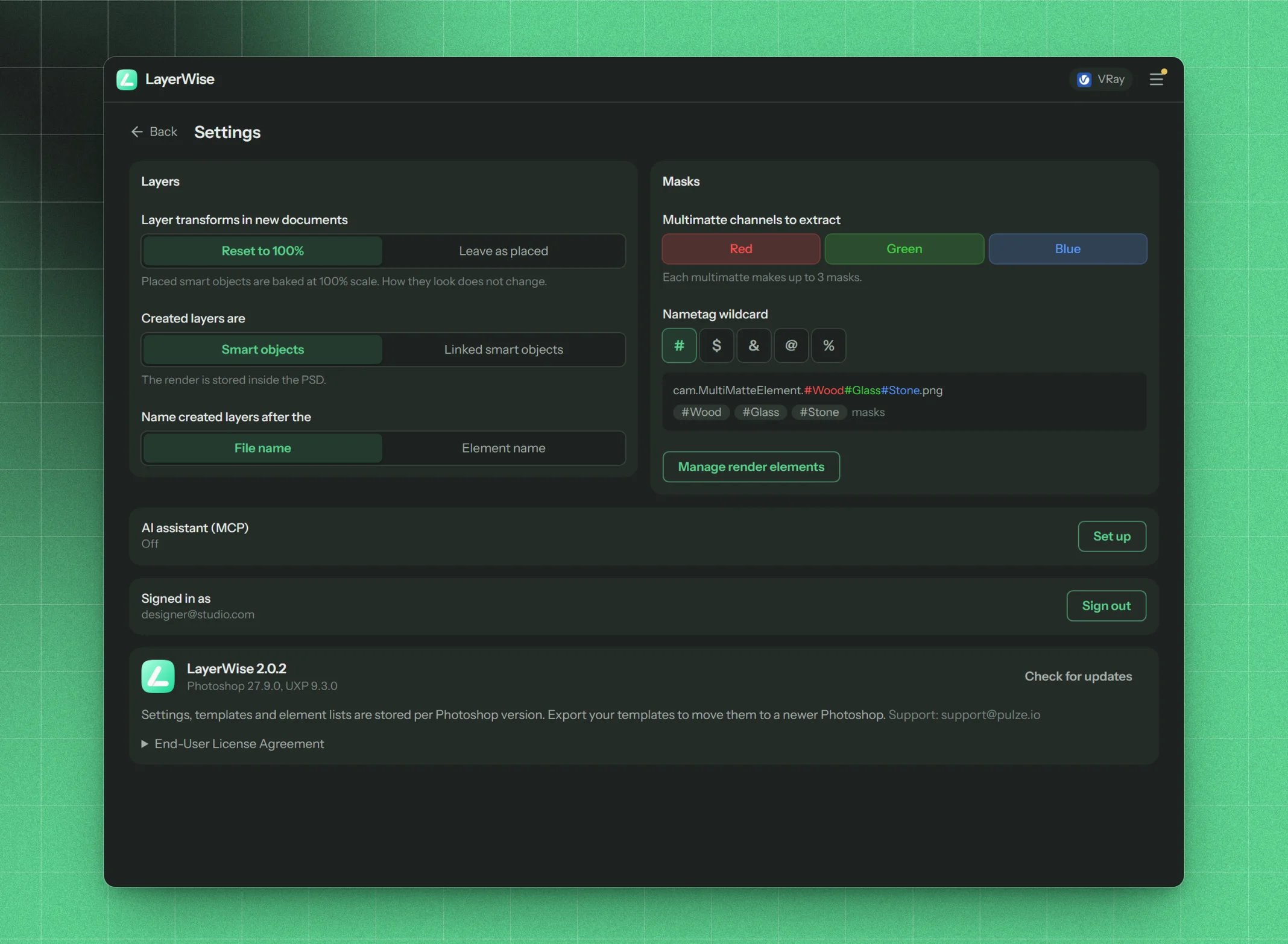
The Settings screen
Layers
Reset to 100% | Leave as placed
default:"Reset to 100%"
With Reset to 100%, Create new document bakes every placed smart object at the end so its scale reads 100%. The image looks the same. With Leave as placed, smart objects keep the scale they were placed at.
Smart objects | Linked smart objects
default:"Smart objects"
Smart objects store the render inside the PSD. Linked smart objects link to the render file on disk. The PSD stays small, but the files must stay where they are.Baking embeds linked smart objects, so new documents still get embedded ones while Reset to 100% is on. The screen reminds you of this.
File name | Element name
default:"File name"
File name keeps Photoshop’s default name, for example
cam01.Reflection.png. Element name uses the element’s name, for example Reflection. Multimatte and luma layers always keep their file name, since it holds the nametags.Masks
R, G, B
default:"All on"
Which multimatte channels become masks. Turn off any you never use. The other channels keep their tags.
# | $ | & | @ | %
default:"#"
The character that starts a nametag in multimatte file names and names the mask targets (
#Wood, $Wood…). The example below the picker shows the result.AI assistant (MCP)
Shows whether the AI assistant bridge is Off, On, waiting for your AI app, or Connected. Set up opens the AI assistant page.Account
Shows the Pulze account you’re signed in with, and Sign out.About and updates
Shows the LayerWise version, and the Photoshop and UXP versions it’s running in.- Check for updates checks right away for a newer version. If there is one, the button becomes Update to version and shows what’s new.
- Settings, templates and element lists are stored per Photoshop version. Export your templates to move them to a newer Photoshop.
- The End-User License Agreement, and the support address: support@pulze.io.