

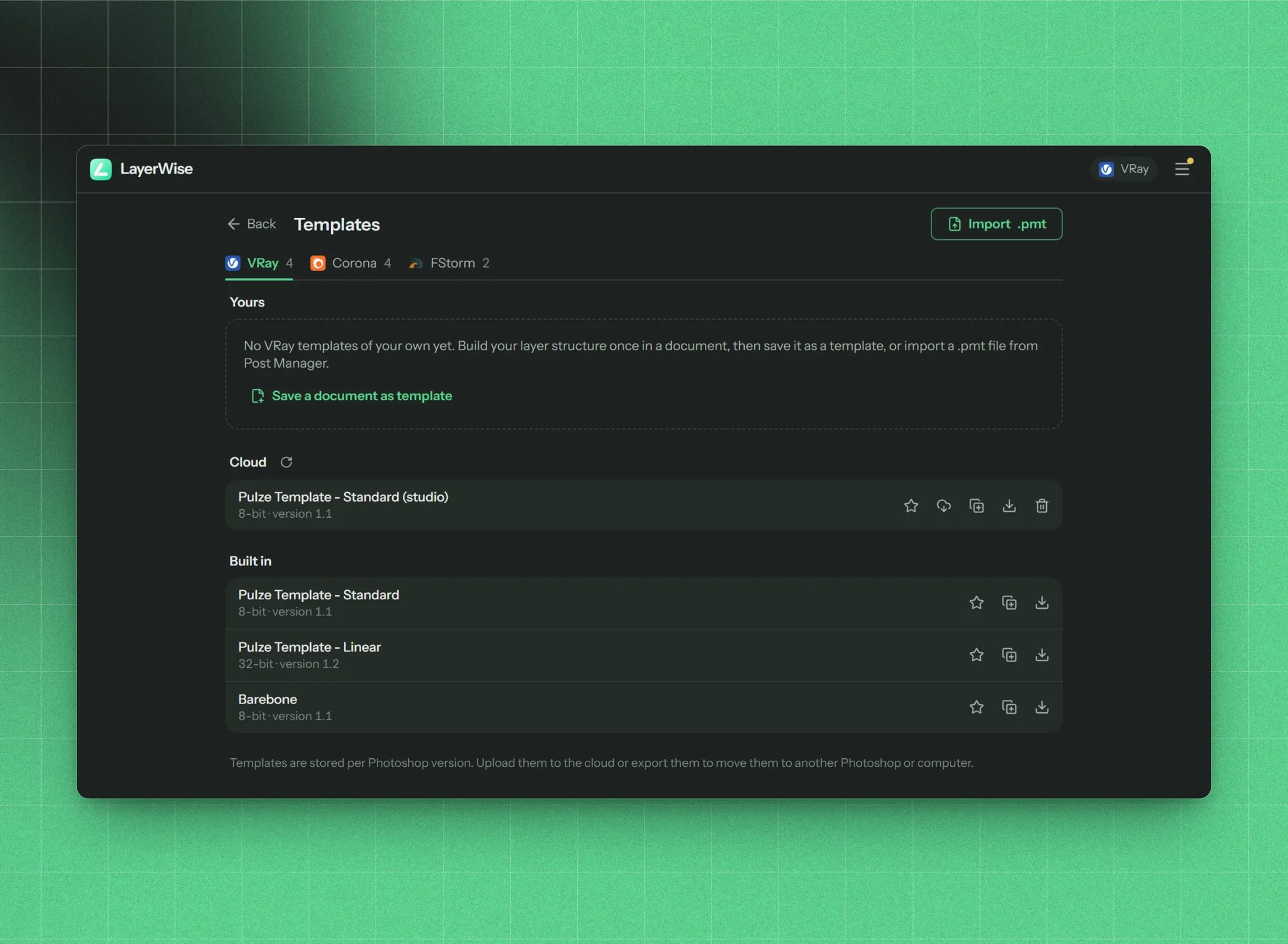
The Templates screen
Built-in templates
LayerWise comes with eight templates made by Pulze:
Built-in templates can’t be changed, but you can duplicate and edit them.
Row actions
Default template
The default template (marked Default) is preselected when you create a new document. Each engine has its own, so you can have one for V-Ray and another for Corona.Inspect a template
The inspect dialog shows the template from top to bottom, in the same order as Photoshop’s Layers panel.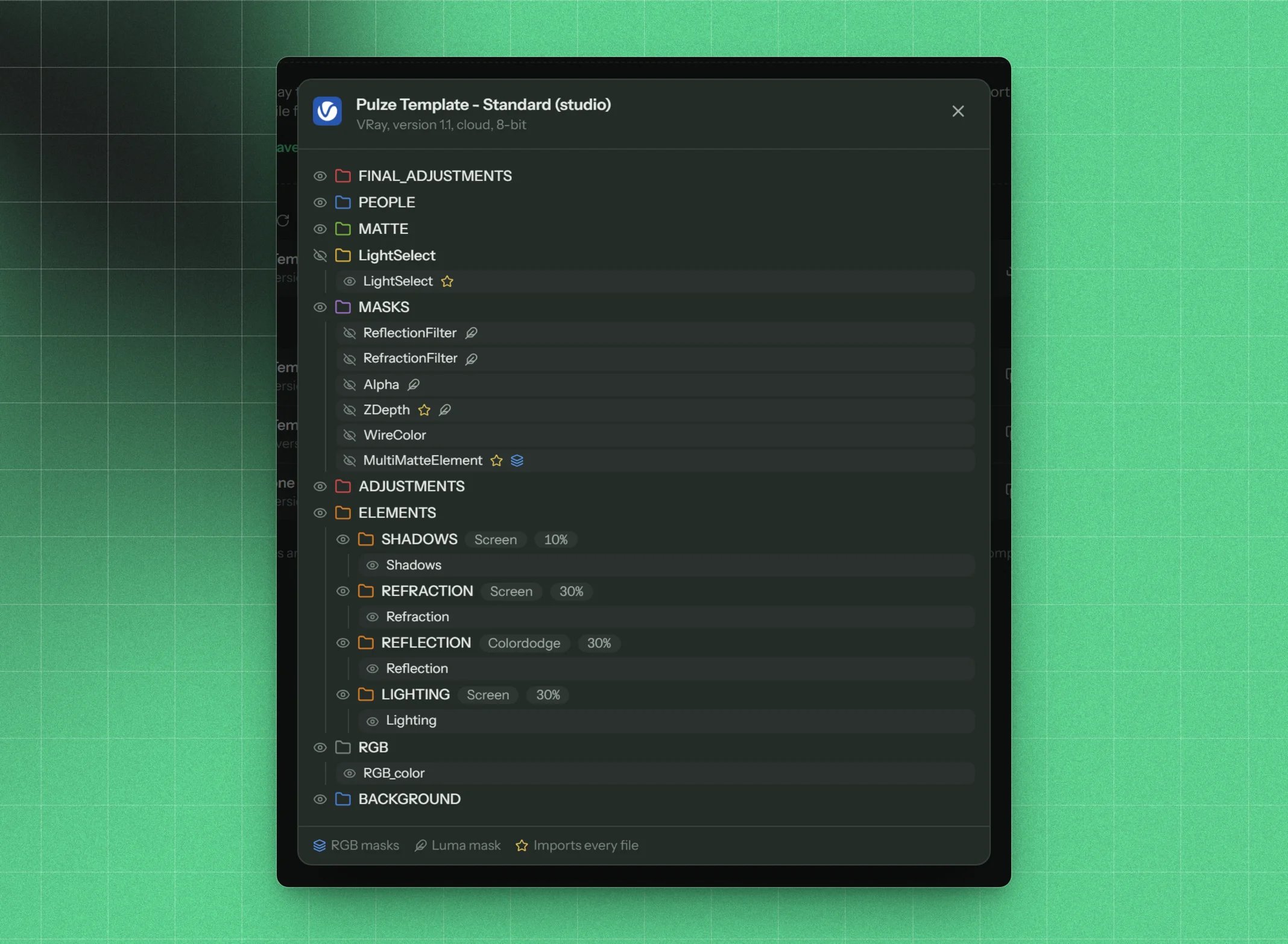
Inspecting a template's layer tree
- Group rows show visibility, the label colour, the name, the blend mode (if not Pass Through) and opacity (if not 100%). A link icon marks a mask target group, such as
#Woodor[LUMA]Alpha. - Element chips show the element and its flags (Import all, RGB masks, Luma mask), plus the blend mode and opacity of the slot.
- Not recognized marks an element that isn’t in your render element list. Press + to add it.
Create a template from a document
The quickest way to your own template is a PSD you already like.1
Open the PSD
Open a document whose group structure you want to reuse. Its render layers should be named after their elements.
2
Run Save document as template
Go to Tools → Save document as template.
3
Name and save
Check the structure, give it a unique name and a version, and press save.
#Wood-style mask groups become part of the template.
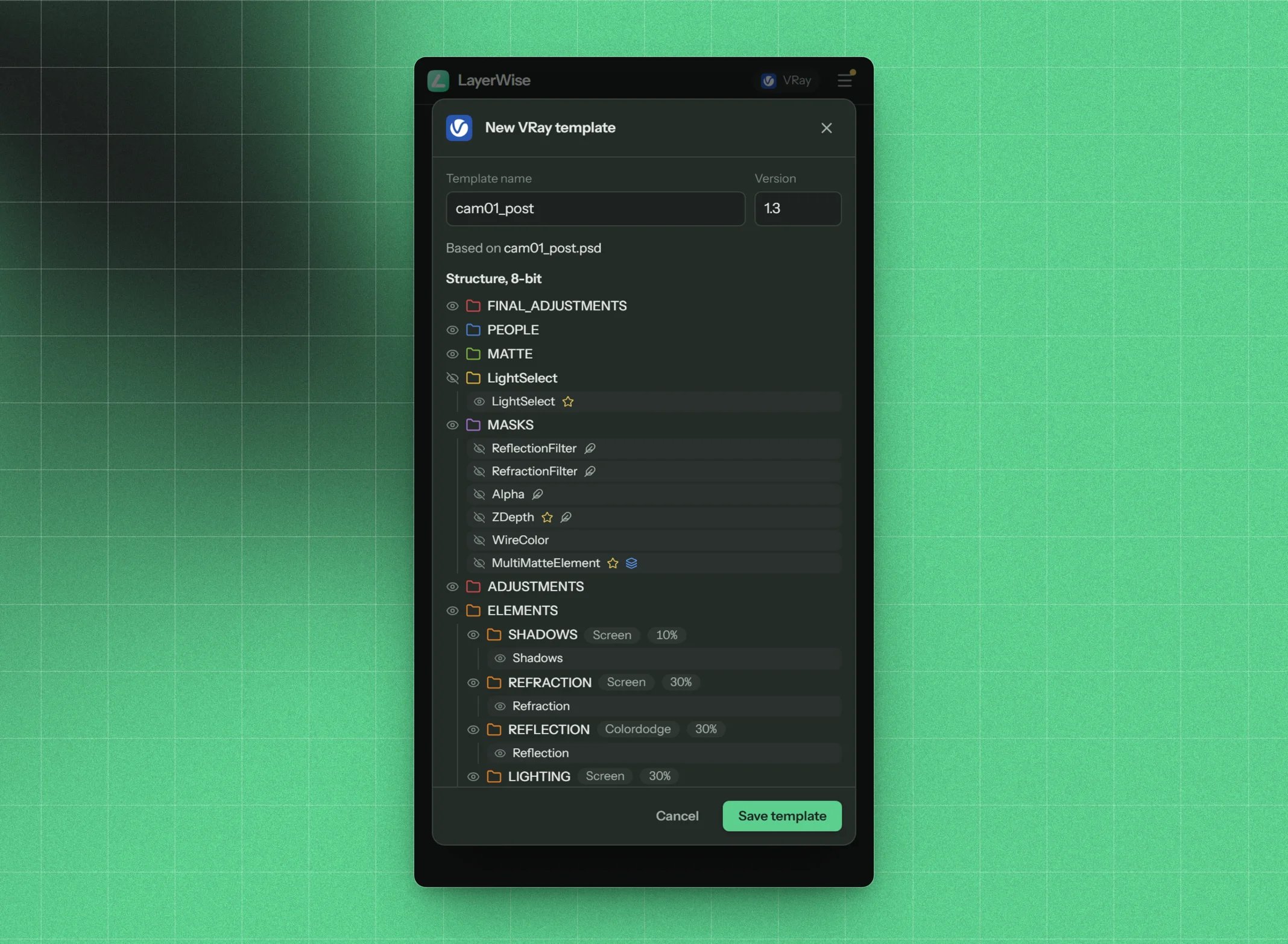
Saving the open document's structure as a template
Import a template
Press Import at the top of the list and choose a.pmt file (or a legacy .plz). LayerWise shows the template and its engine. Give it a name and save.
If the template uses elements that aren’t in that engine’s list, LayerWise offers to add the new elements for you.
Templates exported from Pulze Post Manager import as is. See Migrating from Post Manager.
Move templates to another computer or Photoshop version
Your templates live in LayerWise’s settings, which Photoshop keeps separately for each major version. To take them along:- Export each one as a
.pmtfile and import it on the other side, or - Upload them to your cloud templates. They follow your Pulze account everywhere.