

How it works
When you browse a folder or pick files, LayerWise reads the EXR’s header and lists every layer inside it as its own file, named like a single-layer render: a Reflection layer incam01.exr shows up as cam01.Reflection.exr. From there, matching, templates and updating work exactly as with separate files.
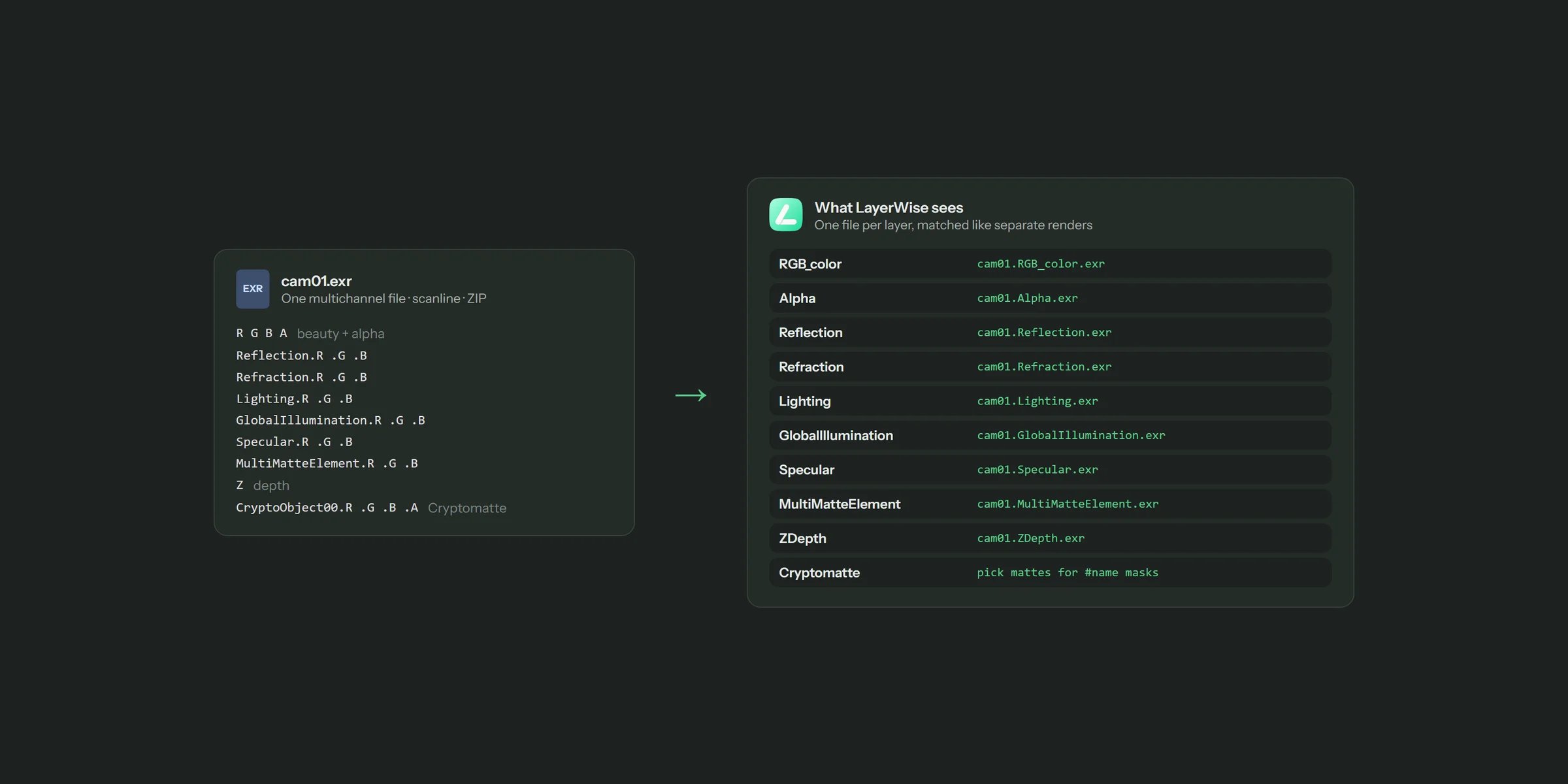
One multichannel EXR becomes one render file per element
Layer rules
- Only the beauty pass keeps its alpha channel. All other elements are written without alpha.
- Cryptomatte layers don’t become layers. They feed Cryptomatte masks instead.
- Corona variance (
Sqr) layers are skipped.
Where the split files go
- For embedded smart objects, the split layers are temporary files. Once placed, they live in the PSD.
- For linked smart objects, the PSD needs the files on disk. If you picked a folder, LayerWise writes them next to the EXR in a folder called
<name>_layerwiseand links them from there. Folder scans skip this folder, so nothing gets picked up twice. - If you picked individual files and use linked smart objects, LayerWise can’t write next to them, so the layers stay temporary and the job warns you. For linked layers, browse the folder instead.